$12.99 as of Nov 11, 2026Check price
Creality
Creality SPARKX i7
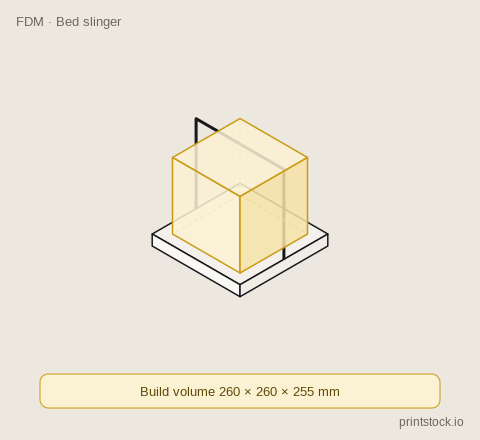
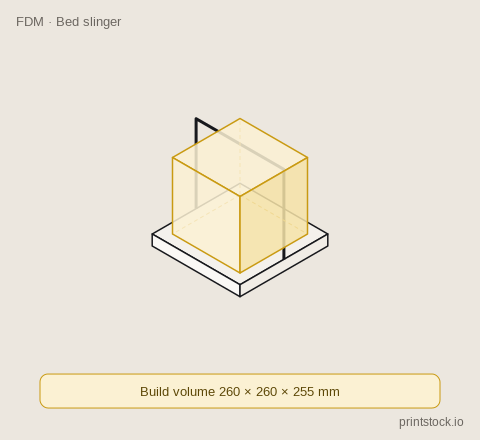
FDMBed slinger260 × 260 × 255 mm
Beginner bed slinger from Creality's SparkX sub-brand: 260 × 260 × 255 mm, up to 500 mm/s, tool-free quick-swap hotend and optional four-color CFS Lite, launched January 2026.
- Most nozzles of the 21 FDM printers under $300 we list
Where to buy
Prices as of Nov 11, 2026Taxes, shipping and any import duties are worked out by the store at checkout and depend on your country; ask the store if in doubt.
Store links may be affiliate links: we may earn a commission, and it does not change your price. Affiliate disclosure
Overview
The SparkX i7 is the first printer under SparkX, a beginner-focused brand that Creality launched in January 2026. It is a light, open bed slinger with a 260 mm bed, rated at up to 500 mm/s, and it is one of the easiest printers to assemble that reviewers have tested. The hotend swaps without tools, the app offers pre-sliced models and a simple mobile slicer, and a filament runout sensor resumes prints after a spool change.
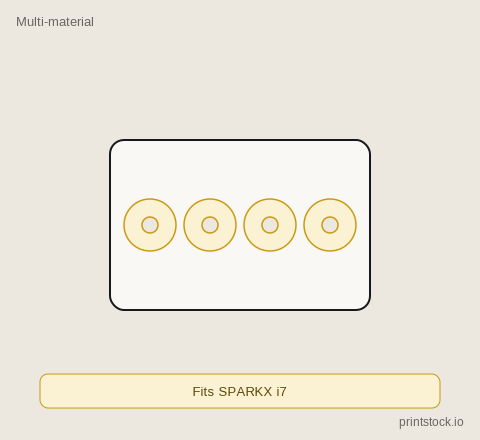
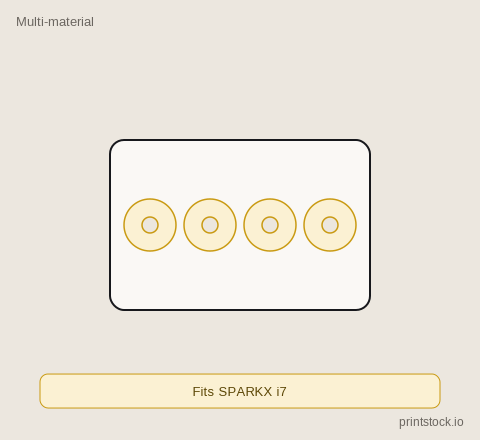
It comes in two bundles that are easy to confuse. The Color Combo adds the CFS Lite, a four-spool unit with an RFID reader that loads settings automatically for Creality filament, for four-color printing. The Autofill Combo adds the two-spool CFS Mini, which only switches to a second spool when the first runs out and does not print in multiple colors.
Reviewers found print quality consistent and the setup genuinely beginner friendly, but not flawless. The open frame makes ABS and ASA prone to warping, owners report CFS Lite slot recognition problems and the FO0528 filament movement error, and Creality's FAQ covers the toolhead cable catching on the gantry. It competes directly with the Bambu Lab A1, which is more refined but often costs more.
Best for
- First-time buyers who want quick setup
- Families and hobbyists printing PLA and PETG
- Budget four-color printing with the Color Combo
Look elsewhere if
- You print ABS or ASA: the open frame causes warping
- You want the most polished multicolor experience: compare the Bambu Lab A1 Combo
Before you buy
- Pick the right bundle: Color Combo for multicolor, Autofill Combo only for automatic spool refill.
- RFID auto-settings work only with Creality filament; other brands need manual settings.
- Leave room behind and in front for the moving bed.
- Update firmware and Creality Print before the first multicolor job.
Pros and cons
Pros
- Very easy assembly
- Quick-swap hotend
- Affordable four-color option
- Large community and Creality parts
Cons
- Open frame
- CFS Lite recognition hiccups
- Bundle names are confusing
Known issues
Last reviewed Nov 13, 2026Popular models have longer lists simply because more people own them and talk about them. Severity and status show how much each problem matters today.
FO0528: filament movement not detected
Moderate (affects prints)Workaround availableThe most common hardware error on the i7: the printer thinks filament is not moving. Checking the feeder path, PTFE tubes and sensor usually fixes it.
Hotends stuck in place on early units
Moderate (affects prints)Workaround availableOn some early batches the quick-swap hotend could only be removed with pliers, and spare hotends were hard to buy in spring 2026.
CFS Lite slots not recognized
Minor (annoyance)Workaround availableSome owners report loaded CFS Lite slots that the firmware does not see; reseating spools and updating firmware are the usual fixes.
Toolhead cable caught by the gantry
Minor (annoyance)Workaround availableCreality's FAQ addresses the toolhead cable snagging on the gantry and affecting prints; rerouting and securing the cable resolves it.
Hotend clumping
Minor (annoyance)Workaround availableCreality published a dedicated guide for filament clumping around the hotend on the i7 series.
Already fixed: 1 (show)
Extruder cover rattles
Minor (annoyance)Fixed in a hardware revisionCreality notes the early extruder front cover clips were made loose for easy removal, which can cause abnormal noise; its wiki covers the fix.
How we build this list: we collect independent reviews, owner reports and public discussions on forums and social networks, merge duplicates and group them by cause. Only serious or recurring problems make the list, so a single complaint will not appear here, and a listed problem does not mean every unit is affected.
Specs
Printing
- Type
- FDM
- Build volume
- 260 × 260 × 255 mm
- Kinematics
- Bed slinger
- Max speed
- 500 mm/s
- Max acceleration
- 10,000 mm/s²
- Multi-color
- Yes
- Nozzles / toolheads
- 1
Extruder and bed
- Extruder
- Direct drive
- Stock nozzle
- 0.4 mm (0.2, 0.6 and 0.8 mm available)
- Max nozzle temp
- 300 °C
- Filament
- 1.75 mm
- Build plate
- Double-sided textured PEI plate
- Max bed temp
- 100 °C
- Bed leveling
- Automatic
- Enclosure
- No
Control and sensors
- Screen
- Touchscreen, 2.85 in
- Features
- Power-loss recoveryFilament runout sensorFilament tangle or clog detectionInput shapingFlow calibrationAutomatic filament loadingAI print failure detectionBuilt-in lightSilent mode
Files and setup
- Files the slicer opens
- STL, OBJ, PLY, 3MF, G-code
Multi-color
- Color Combo
- CFS Lite, 4 spools with RFID for Creality filament
- Autofill Combo
- CFS Mini, 2 spools for automatic refill (not multicolor)
Materials
- Filaments
- PLA, PLA Silk, PETG, TPU, PLA-CF
Software
- Firmware
- Creality OS
Features
- Runout
- Filament runout detection and resume
From maker and store specifications, checked Nov 12, 2026. Power, size, network and warranty are in their own blocks below.
Power and setup
Electricity
- Mains input
- 100 to 240 V (universal)
- Rated power
- 700 W at 220 to 240 V, 400 W at 110 to 120 V
Network and cloud
- Works without internet
- Yes, fully (SD card / USB / LAN)
- Local control for other software
- Limited or behind a special mode
- Built-in camera
- Yes
- Note
- Prints from a USB drive; setup links the printer to a Creality Cloud account through the app. Runs Klipper, and the Fluidd page on port 4408 opens after turning on root access in settings.
Space and room
- Size (W × D × H)
- 470 × 423 × 456 mm
- Weight
- 9.12 kg
On a standard power circuit
- US 15 A / 120 V standard circuit: fine, and about 1,000 W stays free for other things on that circuit while it heats up
- EU/UK 16 A / 230 V standard circuit: fine, and about 2,200 W stays free for other things on that circuit while it heats up
Our calculation from the maker's rated power, keeping a circuit at 80% for long loads.
Safety and support
Computer you need
- Runs on
- Windows, macOS (Apple silicon)
Warranty and repair
- Warranty
- 12 months; 24 months in the EU, Switzerland, Iceland and Norway; wear parts shorter
- Spare parts store
- Official page ↗
- Repair guides
- Official page ↗
Running costs
| PLA filament, per kg | Cheapest in our catalog: Elegoo PLA Basic | $9.34 |
|---|---|---|
| Spare nozzle or hotend | i7 Hotend | $12.99 |
| Spare build plate | i7 Dual-Texture PEI Plate | $9.99 |
Starter budget: about $320 for the printer at its best listed price, 1 kg of PLA and a spare nozzle.
Cheapest compatible items in our catalog, USD prices as last checked. Prices change; see each item for the date.
Software and firmware
- Slicer / control software
- Creality Print 6.3+ (official), OrcaSlicer
- Firmware
- Creality OS
- Connectivity
- Wi-Fi, Creality Cloud app, USB
Official firmware and downloads ↗ We never host firmware files.
Questions people ask
What is the difference between the CFS Lite and CFS Mini?
The CFS Lite holds four spools for multicolor printing. The CFS Mini holds two spools and only switches to the second when the first runs out.
Is SparkX a different company?
No, SparkX is a beginner brand powered by Creality, using Creality software and support.
Can it print ABS?
Creality notes that the open frame makes ABS and ASA prone to warping and cracking; it is best for PLA, PETG and TPU.
Models proven to print on the Creality SPARKX i7
Coming soonFilaments that fit (67)
Matched by PrintStock from published specs: filament diameter, maximum nozzle and bed temperature and enclosure. Not a print test.
- PETG
- Anycubic PETG, Bambu Lab PETG Basic, Bambu Lab PETG Matte, Creality Hyper PETG, Elegoo PETG Pro, Elegoo Rapid PETG, eSUN PETG, eSUN PETG-Matte, Overture High Speed PETG, Polymaker PETG, Polymaker PolyLite PETG, Prusament PETG, Spectrum PETG, Spectrum PETG Premium High Speed, SUNLU PETG, SUNLU PETG 2.0
- PLA
- Anycubic PLA+, Anycubic PLA Basic, Anycubic PLA High Speed, Anycubic PLA Silk, Bambu Lab PLA Basic, Bambu Lab PLA Matte, Bambu Lab PLA Silk+, Bambu Lab PLA Translucent, Creality Hyper PLA, Creality Hyper PLA RFID, Elegoo PLA, Elegoo PLA Basic, Elegoo PLA Matte, Elegoo PLA Pro, Elegoo PLA Silk, eSUN PLA+, eSUN PLA Basic, eSUN PLA+HS, eSUN PLA-Matte, eSUN PLA-Silk Rainbow, Overture Easy PLA, Overture Matte PLA Dual Colors, Overture PLA+, Overture Silk PLA Gradient, Polymaker Panchroma PLA, Polymaker Panchroma PLA Matte, Polymaker Panchroma PLA Silk, Polymaker PLA Pro, Polymaker PolyLite PLA, Polymaker PolyLite PLA Pro, Polymaker PolyLite Silk PLA, Polymaker PolyMax PLA, Polymaker PolyTerra PLA, Prusament PLA, Spectrum Huracan PLA, Spectrum PLA, Spectrum PLA Pro, Spectrum Premium PLA High Speed, SUNLU High-Speed PLA, SUNLU PLA+ 2.0, SUNLU Silk PLA+ 2.0
Compatible accessories
Everything that fits the Creality SPARKX i7
$9.99 as of Nov 11, 2026Check price
$49 as of Nov 12, 2026Check price
$69 as of Nov 11, 2026Check price
Closest alternatives by price
Compare all side by side