Creality K3
Creality's first nozzle changer: four KliTek nozzle assemblies swapped in about five seconds, 260 mm cube CoreXY, 500 mm/s, 20,000 mm/s², 300 °C hotend and a built-in CFS Nano feeder. $849.
- Most nozzles of the 60 FDM printers under $1,200 we list
Where to buy
Prices as of Nov 11, 2026Taxes, shipping and any import duties are worked out by the store at checkout and depend on your country; ask the store if in doubt.
Store links may be affiliate links: we may earn a commission, and it does not change your price. Affiliate disclosure
Overview
The K3 is Creality's entry into the tool changer race that the Bambu Lab H2C, Snapmaker U1 and Prusa INDX started. Instead of swapping whole toolheads, its KliTek system keeps the extruder on the carriage and swaps only light nozzle assemblies, four of them, each with its own filament path from the built-in CFS Nano feeder. A swap takes about five seconds, and because each color has its own nozzle there is no purge between colors, only a prime tower. Creality claims up to 80% shorter multicolor jobs and 85% less waste than single-nozzle systems.
Underneath it is a fast 260 mm CoreXY: 500 mm/s, 20,000 mm/s², a 300 °C hotend and a 100 °C bed. The nozzles can be different sizes in one print, and Creality says 37 sensors watch the machine, 12 of them dedicated to nozzle changes. Replacement nozzle assemblies are expected to cost around $14, far less than a full toolhead.
It went on US pre-order in October 2026 at $849 and started shipping in November. Tom's Hardware found the changer reliable, never dropping a tool, but the lid and TPU kit were not ready at launch, so it is an open-top machine for now, and the large built-in spool holders do not fit every brand of spool. For PLA and PETG multicolor printing it is one of the cheapest tool changers available.
Best for
- Multicolor PLA and PETG printing with very little waste
- Mixing nozzle sizes in one print for fine detail and fast infill
- Creality ecosystem users who want a tool changer at a mid-range price
Look elsewhere if
- You need an enclosure for ABS or ASA now: the lid was not available at launch
- You use cardboard or oversized spools from many brands: check the spool holder fit first
Before you buy
- Check which accessories are actually shipping; the lid and TPU kit came later than the printer.
- Measure your favorite spools; the integrated holders are large but not universal.
- Use Creality Print 7.0 or newer for the multi-nozzle features.
- Firmware features are being released in phases, so expect regular updates.
Pros and cons
Pros
- Four nozzles, no purge between colors
- Fast CoreXY motion
- Mixed nozzle sizes
- Cheap replacement nozzle assemblies
Cons
- Lid and TPU kit not ready at launch
- Spool holders limit spool brands
- New platform with firmware still maturing
Known issues
Last reviewed Nov 13, 2026Popular models have longer lists simply because more people own them and talk about them. Severity and status show how much each problem matters today.
Enclosure lid and TPU kit missing at launch
Moderate (affects prints)Still reportedThe top lid needed for ABS, ASA and other high-temperature filaments and the TPU kit were not ready when the printer launched, so early owners are limited to open-air materials.
Loud with the top open
Moderate (affects prints)Still reportedWithout a lid the tool changer and fans are clearly audible; reviewers describe it as rather loud in normal operation.
Soft TPU is unreliable
Moderate (affects prints)Workaround availableThe tool changer struggled with 90A TPU in testing. Stick to harder TPU grades until the dedicated TPU kit is available.
Spool holders do not fit every spool
Moderate (affects prints)Workaround availableThe holders are too large for many third-party spools, including Prusa and some cardboard spools whose rims catch, which limits the choice of filament brands.
Still needs a purge tower
Minor (annoyance)Still reportedMulticolor prints still build a purge tower. It wastes far less filament than an AMS-style single nozzle, but it is not zero waste.
Only four tools
Minor (annoyance)Still reportedThe tool changer holds four heads, so designs with more than four colors or materials need manual swaps or a different printer.
Slicer and filament setup gaps
Minor (annoyance)Still reportedAt review time Creality Print lacked a button to map filaments to tools, and non-Creality spools need the material and color entered by hand after a beep prompt.
How we build this list: we collect independent reviews, owner reports and public discussions on forums and social networks, merge duplicates and group them by cause. Only serious or recurring problems make the list, so a single complaint will not appear here, and a listed problem does not mean every unit is affected.
Specs
Printing
- Type
- FDM
- Build volume
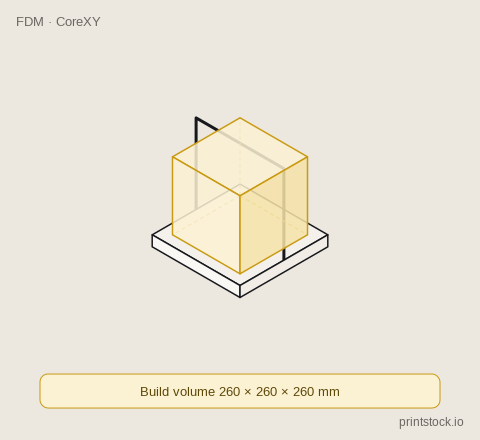
- 260 × 260 × 260 mm
- Kinematics
- CoreXY
- Max speed
- 500 mm/s
- Max acceleration
- 20,000 mm/s²
- Multi-color
- Yes
- Nozzles / toolheads
- 4
Extruder and bed
- Extruder
- Direct drive
- Stock nozzle
- 0.4 mm (0.2, 0.4, 0.6 and 0.8 mm)
- Max nozzle temp
- 300 °C
- Filament
- 1.75 mm
- Build plate
- PEI spring steel plate
- Max bed temp
- 100 °C
- Enclosure
- No
Control and sensors
- Screen
- Touchscreen, 3.97 in
- Features
- Filament tangle or clog detectionFilament runout sensorFlow calibrationAI print failure detectionBuilt-in light
- Screen languages
- EnglishGermanSpanishFrenchItalianPortugueseRussianPolishTurkishJapaneseKoreanArabicChinese
Files and setup
- Files the slicer opens
- 3MF, G-code
Multi-color
- Nozzle changer
- KliTek: four nozzle assemblies, swap in about 5 seconds
- Feeding
- Built-in CFS Nano, four independent filament paths
Sensors
- Sensors
- 37 sensors, 12 for nozzle changes
Software
- Firmware
- Klipper based, released in phases
- Slicers
- Creality Print 7.0+, OrcaSlicer
From maker and store specifications, checked Nov 12, 2026. Power, size, network and warranty are in their own blocks below.
Power and setup
Electricity
- Rated power
- 950 W at 220 to 240 V, 480 W at 110 to 120 V
- Idle
- 160 W
- Note
- Standby around 160 W (maker figure)
Network and cloud
- Works without internet
- Yes, fully (SD card / USB / LAN)
- Maker account
- Only for cloud / remote features
- Local control for other software
- Limited or behind a special mode
- Slicers from other makers
- Supported
- Built-in camera
- Yes
- Note
- Klipper-based Creality OS with root access out of the box; prints over Wi-Fi or from a USB drive, Creality Cloud is optional and Orca Slicer works with it. A Moonraker or Fluidd web page is not confirmed yet. Built-in camera.
Space and room
- Size (W × D × H)
- 420 × 482 × 536 mm
- Weight
- 22 kg
On a standard power circuit
- US 15 A / 120 V standard circuit: fine, and about 950 W stays free for other things on that circuit while it heats up
- EU/UK 16 A / 230 V standard circuit: fine, and about 1,950 W stays free for other things on that circuit while it heats up
Our calculation from the maker's rated power, keeping a circuit at 80% for long loads.
Safety and support
Warranty and repair
- Warranty
- 12 months; 24 months in the EU, Switzerland, Iceland and Norway; wear parts shorter
- Spare parts store
- Official page ↗
- Repair guides
- Official page ↗
Running costs
| PLA filament, per kg | Cheapest in our catalog: Elegoo PLA Basic | $9.34 |
|---|
Cheapest compatible items in our catalog, USD prices as last checked. Prices change; see each item for the date.
Software and firmware
- Slicer / control software
- Creality Print 7.0+ (official), OrcaSlicer
- Firmware
- Creality OS (Klipper based)
- Connectivity
- Wi-Fi, LAN, USB
Official firmware and downloads ↗ We never host firmware files.
Questions people ask
Is the Creality K3 a full tool changer?
It is a nozzle changer: the extruder stays on the carriage and only the hot nozzle assemblies are swapped, which keeps the moving parts light.
How fast are color changes?
Creality rates a nozzle swap at about five seconds, with no purge between colors.
Can it print TPU?
Creality says it supports soft TPU, but the TPU kit was not available at launch.
How much does the K3 cost?
It launched in the US at $849.
Models proven to print on the Creality K3
Coming soonFilaments that fit (67)
Matched by PrintStock from published specs: filament diameter, maximum nozzle and bed temperature and enclosure. Not a print test.
- PETG
- Anycubic PETG, Bambu Lab PETG Basic, Bambu Lab PETG Matte, Creality Hyper PETG, Elegoo PETG Pro, Elegoo Rapid PETG, eSUN PETG, eSUN PETG-Matte, Overture High Speed PETG, Polymaker PETG, Polymaker PolyLite PETG, Prusament PETG, Spectrum PETG, Spectrum PETG Premium High Speed, SUNLU PETG, SUNLU PETG 2.0
- PLA
- Anycubic PLA+, Anycubic PLA Basic, Anycubic PLA High Speed, Anycubic PLA Silk, Bambu Lab PLA Basic, Bambu Lab PLA Matte, Bambu Lab PLA Silk+, Bambu Lab PLA Translucent, Creality Hyper PLA, Creality Hyper PLA RFID, Elegoo PLA, Elegoo PLA Basic, Elegoo PLA Matte, Elegoo PLA Pro, Elegoo PLA Silk, eSUN PLA+, eSUN PLA Basic, eSUN PLA+HS, eSUN PLA-Matte, eSUN PLA-Silk Rainbow, Overture Easy PLA, Overture Matte PLA Dual Colors, Overture PLA+, Overture Silk PLA Gradient, Polymaker Panchroma PLA, Polymaker Panchroma PLA Matte, Polymaker Panchroma PLA Silk, Polymaker PLA Pro, Polymaker PolyLite PLA, Polymaker PolyLite PLA Pro, Polymaker PolyLite Silk PLA, Polymaker PolyMax PLA, Polymaker PolyTerra PLA, Prusament PLA, Spectrum Huracan PLA, Spectrum PLA, Spectrum PLA Pro, Spectrum Premium PLA High Speed, SUNLU High-Speed PLA, SUNLU PLA+ 2.0, SUNLU Silk PLA+ 2.0
Closest alternatives by price
Compare all side by side