$899 as of Nov 11, 2026Check price
Bambu Lab
Bambu Lab R1
LaserEnclosed
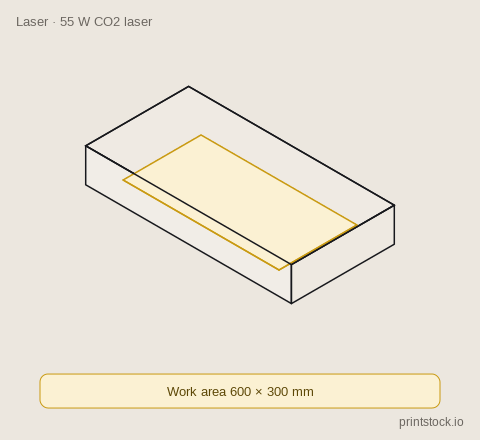
Bambu Lab's first standalone laser: an enclosed 55 W CO2 cutter and engraver with a 600 × 300 mm bed, 1,000 mm/s motion, two cameras, automatic focus and Class 1 safety, run from Bambu Suite.
Where to buy
Prices as of Nov 12, 2026Taxes, shipping and any import duties are worked out by the store at checkout and depend on your country; ask the store if in doubt.
Store links may be affiliate links: we may earn a commission, and it does not change your price. Affiliate disclosure
Price history, 90 days
Lowest: $2,499 · Highest: $3,289Overview
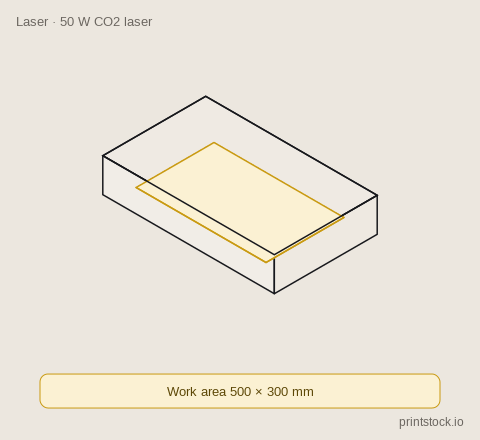
The R1 is Bambu Lab's first dedicated laser cutter, launched for pre-order in September 2026 at $2,499. It is an enclosed 55 W CO2 machine with a 600 × 300 mm bed, the same working area as most desktop CO2 lasers, in a noticeably smaller footprint. Like Bambu's printers it is built around automation: a BirdsEye camera shows the whole bed, a toolhead camera and pinpoint laser place the job precisely, and a distance laser measures material height and sets focus automatically. Bambu's own materials are recognized and get power and speed settings without test grids.
Motion is fast for a CO2 laser, up to 1,000 mm/s with power scaled to speed, and reviewers found engraving and cutting quality excellent. A touchscreen on the machine is unusual in this class and makes common tasks quicker. Accessories extend it: a riser base for tall objects, a conveyor for stock up to three meters long, a rotary attachment, medium and long focus lenses for thicker cuts, a Vision Encoder for higher accuracy, an air purifier and an auto fire extinguishing system.
The main criticism is the included air assist, a much weaker pump than on the xTool P2S, which matters for clean cuts in thick wood. The full bundle with accessories costs far more than the base machine, and at over 32 kg it needs a permanent spot near a window or vent.
Best for
- Bambu Lab printer owners adding laser cutting to the same software and account
- Small businesses making signs, gifts, packaging and acrylic parts
- Beginners who want camera positioning and automatic focus instead of manual setup
Look elsewhere if
- You want laser and 3D printing in one machine: the H2D or H2C laser editions cover light laser work
- You cut thick hardwood often: budget for a stronger air pump or compare the xTool P2S
Before you buy
- Plan ventilation: the included exhaust hose must reach a window or an air purifier.
- Thick cuts need the medium or long focus lens, sold separately.
- Adding the riser base removes the Class 1 rating; eye protection rules then apply.
- Check the price of the bundle you need: conveyor, rotary and lenses add up quickly.
Pros and cons
Pros
- 600 × 300 mm bed in a compact enclosure
- Fast motion with automatic focus and camera placement
- Touchscreen and Bambu Suite integration
- Class 1 safety with flame sensors
Cons
- Weak included air assist pump
- Heavy and hard to move
- Many useful parts are paid accessories
Known issues
Last reviewed Nov 12, 2026Popular models have longer lists simply because more people own them and talk about them. Severity and status show how much each problem matters today.
Weak air assist for thick cuts
Moderate (affects prints)Workaround availableThe included air pump delivers about 30 kPa, far less than the 200 kPa pump on the xTool P2S, so thick wood cuts can char more and need extra passes.
Class 1 rating only without the riser base
Minor (annoyance)Workaround availableReviewers note the R1 is rated Class 1 only in its standard configuration; with height extensions installed the enclosure no longer guarantees eye safety.
How we build this list: we collect independent reviews, owner reports and public discussions on forums and social networks, merge duplicates and group them by cause. Only serious or recurring problems make the list, so a single complaint will not appear here, and a listed problem does not mean every unit is affected.
Specs
Printing
- Type
- Laser
- Max speed
- 1,000 mm/s
- Laser
- 55 W CO2 laser
- Laser type
- CO2
- Laser output
- 55 W
- Cuts through
- WoodPlywoodMDFBambooAcrylicclearAcrylicdark or opaqueOther plasticsLeatherPaper and cardboardFabric and feltCorkRubberFoam
- Engraves or marks
- WoodPlywoodMDFBambooAcrylicclearAcrylicdark or opaqueOther plasticsLeatherPaper and cardboardFabric and feltCorkRubberFoamGlassStone and slateCeramic tileAnodized aluminiumPainted or coated metal
Hardware
- Enclosure
- Yes
Files and setup
- Variants
- R1, R1 Long Material Bundle, R1 Long Material & Rotary Bundle
Laser
- Laser source
- 55 W CO2 tube
- Working area
- 600 × 300 mm; up to 600 × 3,000 mm with the conveyor
Motion
- Acceleration
- 20,000 mm/s²
- Positioning accuracy
- Under 0.2 mm; under 0.1 mm across 600 mm with the Vision Encoder
Cutting
- Max cut (long-focus lens)
- Up to 18 mm black walnut, 20 mm acrylic
Cameras
- Positioning
- BirdsEye camera, toolhead camera, pinpoint laser, distance measurement laser for autofocus
Safety
- Laser class
- Class 1 as shipped, flame sensors, optional auto fire extinguisher
Software
- Software
- Bambu Suite (Windows, macOS), MakerWorld
From maker and store specifications, checked Nov 12, 2026. Power, size, network and warranty are in their own blocks below.
Power and setup
Electricity
- Rated power
- 780 W
Network and cloud
- Built-in camera
- Yes
- Note
- Uses the same Bambu Lab account, Bambu Suite software and Bambu Handy app as Bambu's printers; has a bird's-eye camera for positioning.
Space and room
- Size (W × D × H)
- 940 × 560 × 200 mm
- Weight
- 33.5 kg
On a standard power circuit
- US 15 A / 120 V standard circuit: fine, and about 650 W stays free for other things on that circuit while it heats up
- EU/UK 16 A / 230 V standard circuit: fine, and about 2,150 W stays free for other things on that circuit while it heats up
Our calculation from the maker's rated power, keeping a circuit at 80% for long loads.
Safety and support
Safety
- Laser class
- Class 1 laser product
- Laser safety features
- Lid or door interlock
Warranty and repair
- Warranty
- 24 months; for consumers in the EU, Switzerland, Norway, Iceland, the US and Canada (US and Canada extended from 12 months in 2026); receipts only from Bambu Lab or authorized resellers
- Repair guides
- Official page ↗
- Open source
- No
Software and firmware
- Slicer / control software
- Bambu Suite, MakerWorld projects
- Firmware
- Bambu Lab firmware via Bambu Suite
- Connectivity
- Wi-Fi, Bambu cloud, LAN
Official firmware and downloads ↗ We never host firmware files.
Questions people ask
What can the Bambu Lab R1 cut?
Wood, plywood, acrylic including clear acrylic, leather and fabric, and it engraves glass and coated metals. With the long focus lens Bambu rates it for up to 18 mm black walnut and 20 mm acrylic.
How does the R1 compare with the xTool P2S?
Both are 55 W CO2 lasers with about a 600 × 300 mm bed. The R1 is cheaper and faster on paper; the P2S ships with a much stronger air assist pump.
Do I need eye protection?
Not in its standard Class 1 configuration with the lid closed. With the riser base or other height extensions, follow laser safety rules.
Does it use Bambu Studio?
No, it runs in Bambu Suite, which uses the same Bambu account and MakerWorld projects.
Compatible accessories
Everything that fits the Bambu Lab R1
$599 as of Nov 11, 2026Check price
$499 as of Nov 11, 2026Check price
$389 as of Nov 11, 2026Check price
$215.20 as of Nov 11, 2026Check price
$199 as of Nov 11, 2026Check price
Closest alternatives by price
Compare all side by side