AtomStack iKier Master 50W CO2
iKier's enclosed desktop CO2 laser: 50 W tube, 500 × 300 mm, camera alignment, autofocus, optional IR module, rotary and conveyor support, Wi-Fi; reviewed as brilliant hardware with frustrating software.
Where to buy
Prices as of Nov 11, 2026Taxes, shipping and any import duties are worked out by the store at checkout and depend on your country; ask the store if in doubt.
Store links may be affiliate links: we may earn a commission, and it does not change your price. Affiliate disclosure
Overview
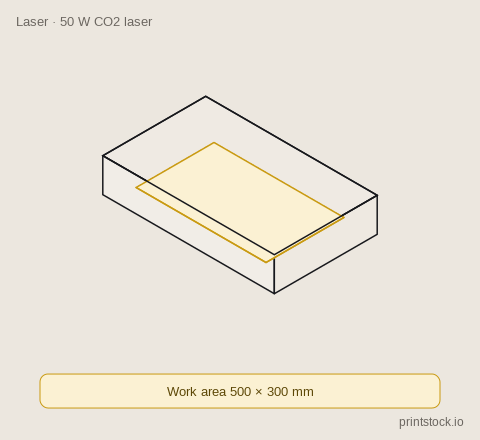
The iKier Master is a 50 W CO2 laser in an enclosed desktop format with a 500 × 300 mm bed. CO2 opens materials diode lasers struggle with: FauxHammer singled out clear acrylic and glass etching as the moment the machine made sense. It adds camera alignment, autofocus, Wi-Fi, an optional IR laser, rotary support, a conveyor expansion and a riser base.
FauxHammer's verdict was that the underlying hardware is strong and has real business potential, but that the overall experience, especially the software, is not as polished as the easiest modern desktop lasers. iKier presented it at IFA as a lightweight CO2 flagship with optical locking.
CO2 tubes need cooling, mirror alignment and eventually replacement, and fumes must be vented outside. Budget for LightBurn if the bundled software frustrates you.
Best for
- Clear acrylic and glass work
- Small businesses moving from diode to CO2
- Mixed-material makers
Look elsewhere if
- Users wanting polished software
- Metal cutting
Before you buy
- Plan ventilation or a fume purifier; never cut PVC or vinyl.
- Plan exhaust venting outside.
- Consider LightBurn for a smoother workflow.
- Learn CO2 tube care and mirror cleaning.
Pros and cons
Pros
- CO2 material range
- Camera and autofocus
- Expandable
Cons
- Software frustrations
- Tube maintenance
- Venting required
Known issues
Last reviewed Nov 13, 2026We have not found serious or recurring problems with this model so far.
How we build this list: we collect independent reviews, owner reports and public discussions on forums and social networks, merge duplicates and group them by cause. Only serious or recurring problems make the list, so a single complaint will not appear here, and a listed problem does not mean every unit is affected.
Specs
Printing
- Type
- Laser
- Laser
- 50 W CO2 laser
- Laser type
- CO2
- Laser output
- 50 W
- Cuts through
- WoodPlywoodMDFBambooAcrylicclearAcrylicdark or opaqueOther plasticsLeatherPaper and cardboardFabric and feltCorkRubberFoam
- Engraves or marks
- WoodPlywoodMDFBambooAcrylicclearAcrylicdark or opaqueOther plasticsLeatherPaper and cardboardFabric and feltCorkRubberFoamGlassStone and slateCeramic tileAnodized aluminiumPainted or coated metal
Hardware
- Enclosure
- Yes
Laser
- Source
- 50 W CO2 tube
Area
- Work area
- 500 × 300 mm
Vision
- Camera
- Camera alignment
Focus
- Focus
- Autofocus
Options
- IR
- Optional IR laser
- Accessories
- Rotary, conveyor expansion, riser base
Format
- Format
- Enclosed desktop
From maker and store specifications, checked Nov 12, 2026. Power, size, network and warranty are in their own blocks below.
Safety and support
Warranty and repair
- Warranty
- 12 months; 12 months on main parts of machines bought through AtomStack authorised channels; optional accessories also 12 months
Software and firmware
- Slicer / control software
- LightBurn, LaserGRBL, iKier/AtomStack Studio
- Firmware
- iKier firmware
- Connectivity
- Wi-Fi, USB, app
Official firmware and downloads ↗ We never host firmware files.
Questions people ask
Why choose CO2 over diode?
CO2 cuts clear acrylic and etches glass, which diode lasers cannot do well.
What is the work area?
500 × 300 mm.
Is the software good?
FauxHammer found it the weak point.
Closest alternatives by price
Compare all side by side