$15 as of Nov 11, 2026Check price
Anycubic
Anycubic Kobra S1 Max
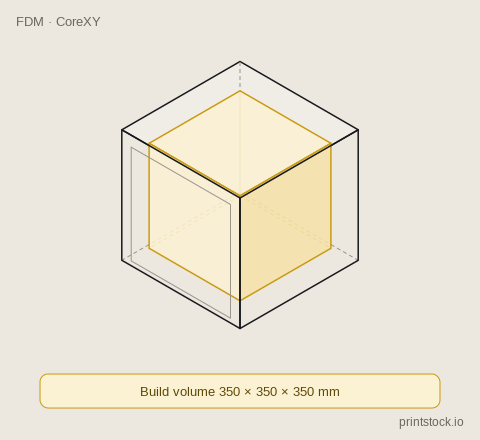
FDMCoreXYEnclosed350 × 350 × 350 mm
Anycubic's large enclosed CoreXY: 350 × 350 × 350 mm, 65 °C actively heated chamber, 350 °C hardened steel hotend, 120 °C bed and ACE 2 Pro support up to 16 colors. Shipped in volume from April 2026.
Where to buy
Prices as of Nov 11, 2026Taxes, shipping and any import duties are worked out by the store at checkout and depend on your country; ask the store if in doubt.
Store links may be affiliate links: we may earn a commission, and it does not change your price. Affiliate disclosure
Overview
The Kobra S1 Max, announced in November 2025 and shipped in volume from April 2026, is Anycubic's large engineering-material printer. Compared with the Kobra S1 it grows the volume from 250 mm to a 350 mm cube, raises the hotend from 320 °C to 350 °C with a hardened steel nozzle, and replaces passive chamber warming with active heating to 65 °C. That combination targets ABS, ASA, PC, nylon and carbon or glass fiber filaments at a size where warping is usually the main problem.
It is a fully enclosed all-metal CoreXY rated at 600 mm/s, with 49-point LeviQ 3.0 leveling, dual external circulation fans and a 720p camera. The Combo adds the new ACE 2 Pro, which dries filament and feeds four colors; up to four units give 16. Anycubic states the first-generation ACE Pro does not work with the S1 Max.
At around $919 for the Combo at launch it undercut rivals such as the Creality K2 Plus Combo by a wide margin. The trade-offs are size and power: it weighs about 26 kg and can draw up to 2.2 kW while heating, so it needs a solid table and a good circuit. Multicolor printing still purges filament like other single-nozzle systems.
Best for
- Large ABS, ASA, PC and nylon parts
- Engineering and fiber-filled filaments on a budget
- Large multicolor prints with the ACE 2 Pro
Look elsewhere if
- You only print PLA: a cheaper open printer is enough
- You have limited power or space: it draws up to 2.2 kW and weighs about 26 kg
Before you buy
- First-generation ACE Pro units are not compatible; budget for the ACE 2 Pro.
- Check your electrical circuit; peak draw is high while heating.
- Dry engineering filaments before printing.
- Plan a sturdy table and space for the ACE 2 Pro.
Pros and cons
Pros
- 350 mm cube with active 65 °C chamber
- 350 °C hardened hotend
- Up to 16 colors
- Strong value
Cons
- High power draw
- Heavy
- No first-gen ACE Pro support
What owners like
Cheapest large printer with a heated chamber
Often praisedOwners and reviewers point out it is the least expensive way to get a 350 mm cube with an actively heated chamber and a 350 C hotend.
Collected the same way as known issues: from independent reviews, owner reports and public discussions, merged and grouped.
Known issues
Last reviewed Nov 13, 2026Popular models have longer lists simply because more people own them and talk about them. Severity and status show how much each problem matters today.
Heat creep clogs in the warm chamber
Major (repair or return)Workaround availableChamber heat softens PLA and PETG in the heat break. Firmware 2.6.8.8, venting the door and a free silicone fan duct from support help.
ACE 2 Pro feeding errors
Major (repair or return)Workaround availableIncomplete cuts and tube tension make the unit pull against stuck filament (11511, 11512, 11518, 11833); some units also show drying or link faults.
Multicolor clogs with small nozzles (11504)
Moderate (affects prints)Workaround availableFrequent tool changes build back pressure, worst with the 0.25 mm nozzle; 0.4 or 0.6 mm nozzles work better.
Toolhead cover falls off
Moderate (affects prints)Still reportedThe cover is held only by magnets and gets knocked loose mid-print. Firmware 2.7.1.4 detects it, but the hardware is unchanged.
Carbon filter barely filters
Moderate (affects prints)Still reportedAir bypasses the carbon pack and the fan runs slower than set. Anycubic says a duct redesign is in progress.
Purge chute clogs and no waste bin
Moderate (affects prints)Workaround availablePurge slugs stick in the chute and drop onto the desk; owners print their own waste buckets.
Long wait before every print
Minor (annoyance)Workaround availableThe bed heats to 45 degrees C, cools to 35 degrees C and then levels, which adds 10 to 15 minutes; skipping auto-leveling between jobs saves time.
First-generation ACE Pro not supported
Minor (annoyance)Still reportedThe ACE 2 Pro uses a different connection, so the older ACE Pro cannot be used.
Power hungry, loud and heavy
Minor (annoyance)Still reportedThe printer draws up to 2200 W, reaches about 55 dB with chamber heating and weighs 25.7 kg, so plan the circuit and the space.
Already fixed: 1 (show)
Early units with binding gantries and cracked screens
Moderate (affects prints)Fixed in a hardware revisionAnycubic paused shipments and added inspection after early-batch defects.
How we build this list: we collect independent reviews, owner reports and public discussions on forums and social networks, merge duplicates and group them by cause. Only serious or recurring problems make the list, so a single complaint will not appear here, and a listed problem does not mean every unit is affected.
Specs
Printing
- Type
- FDM
- Build volume
- 350 × 350 × 350 mm
- Kinematics
- CoreXY
- Max speed
- 600 mm/s
- Max acceleration
- 20,000 mm/s²
- Multi-color
- Yes
- Nozzles / toolheads
- 1
Extruder and bed
- Extruder
- Direct drive
- Stock nozzle
- 0.4 mm
- Nozzle / hotend
- Hardened steel quick-swap hotend
- Max nozzle temp
- 350 °C
- Filament
- 1.75 mm
- Build plate
- PEI spring steel plate
- Max bed temp
- 120 °C
- Bed leveling
- Automatic
- Enclosure
- Yes
Control and sensors
- Screen
- Touchscreen, 4.3 in
- Features
- Flow calibrationAI print failure detectionAir filter
Enclosure
- Chamber
- Active heating to 65 °C
Multi-color
- Multi-material
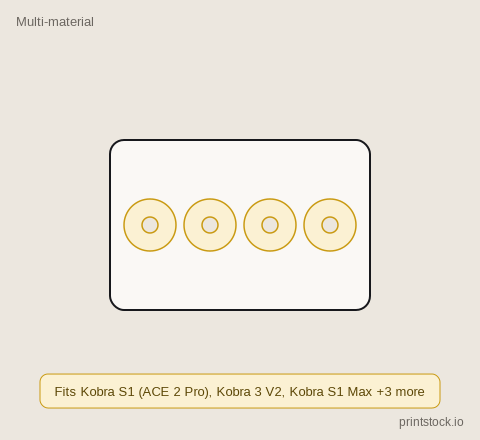
- ACE 2 Pro: 4 colors, up to 16 with four units; first-gen ACE Pro not supported
Monitoring
- Camera
- 720p chamber camera
From maker and store specifications, checked Nov 12, 2026. Power, size, network and warranty are in their own blocks below.
Power and setup
Electricity
- Rated power
- 2,200 W at 220 to 240 V, 1,000 W at 110 to 120 V
Network and cloud
- Works without internet
- Yes, fully (SD card / USB / LAN)
- Maker account
- Only for cloud / remote features
- Local control for other software
- Limited or behind a special mode
- Built-in camera
- Yes
- Note
- LAN mode sends prints from Anycubic Slicer Next, shows progress and video without an account; in LAN mode the cloud, the app and AI detection are off.
Space and room
- Size (W × D × H)
- 502.7 × 483 × 584 mm
- Weight
- 25.7 kg
On a standard power circuit
- US 15 A / 120 V standard circuit: fine, and about 400 W stays free for other things on that circuit while it heats up
- EU/UK 16 A / 230 V standard circuit: fine, and about 700 W stays free for other things on that circuit while it heats up
Our calculation from the maker's rated power, keeping a circuit at 80% for long loads.
Safety and support
Safety
- Air filtration
- Activated carbon filter
Warranty and repair
- Warranty
- 12 months; 12 months on main parts; print head, extruder, belts, motors, camera and screens 3 months; nozzles, PTFE and FEP not covered
- Spare parts store
- Official page ↗
- Repair guides
- Official page ↗
Running costs
| PLA filament, per kg | Cheapest in our catalog: Elegoo PLA Basic | $9.34 |
|---|---|---|
| Spare nozzle or hotend | Nozzle | $15 |
| Spare build plate | Spring Steel Magnetic Platform | $32.99 |
Starter budget: about $771 for the printer at its best listed price, 1 kg of PLA and a spare nozzle.
Cheapest compatible items in our catalog, USD prices as last checked. Prices change; see each item for the date.
Software and firmware
- Slicer / control software
- Anycubic Slicer Next (official), OrcaSlicer
- Firmware
- Kobra OS
- Connectivity
- Wi-Fi, LAN, Anycubic app, USB
Official firmware and downloads ↗ We never host firmware files.
Questions people ask
How hot does the Kobra S1 Max chamber get?
Active heating reaches 65 °C.
Can I use my old ACE Pro?
No, the S1 Max supports only the ACE 2 Pro.
How does it compare to the Kobra S1?
Larger 350 mm volume, 350 °C hotend instead of 320 °C, and active chamber heating instead of passive.
Models proven to print on the Anycubic Kobra S1 Max
Coming soonFilaments that fit (80)
Matched by PrintStock from published specs: filament diameter, maximum nozzle and bed temperature and enclosure. Not a print test.
- PETG
- Anycubic PETG, Bambu Lab PETG Basic, Bambu Lab PETG Matte, Creality Hyper PETG, Elegoo PETG Pro, Elegoo Rapid PETG, eSUN PETG, eSUN PETG-Matte, Overture High Speed PETG, Polymaker PETG, Polymaker PolyLite PETG, Prusament PETG, Spectrum PETG, Spectrum PETG Premium High Speed, SUNLU PETG, SUNLU PETG 2.0
- PLA
- Anycubic PLA+, Anycubic PLA Basic, Anycubic PLA High Speed, Anycubic PLA Silk, Bambu Lab PLA Basic, Bambu Lab PLA Matte, Bambu Lab PLA Silk+, Bambu Lab PLA Translucent, Creality Hyper PLA, Creality Hyper PLA RFID, Elegoo PLA, Elegoo PLA Basic, Elegoo PLA Matte, Elegoo PLA Pro, Elegoo PLA Silk, eSUN PLA+, eSUN PLA Basic, eSUN PLA+HS, eSUN PLA-Matte, eSUN PLA-Silk Rainbow, Overture Easy PLA, Overture Matte PLA Dual Colors, Overture PLA+, Overture Silk PLA Gradient, Polymaker Panchroma PLA, Polymaker Panchroma PLA Matte, Polymaker Panchroma PLA Silk, Polymaker PLA Pro, Polymaker PolyLite PLA, Polymaker PolyLite PLA Pro, Polymaker PolyLite Silk PLA, Polymaker PolyMax PLA, Polymaker PolyTerra PLA, Prusament PLA, Spectrum Huracan PLA, Spectrum PLA, Spectrum PLA Pro, Spectrum Premium PLA High Speed, SUNLU High-Speed PLA, SUNLU PLA+ 2.0, SUNLU Silk PLA+ 2.0
- ABS
- Bambu Lab ABS, Creality Hyper ABS, Elegoo ABS, Polymaker PolyLite ABS, Siraya Tech Fibreheart ABS HT HF, SUNLU ABS
Compatible accessories
Everything that fits the Anycubic Kobra S1 Max
$34.99 as of Nov 11, 2026Check price
$32.99 as of Nov 11, 2026Check price
$13.99 as of Nov 11, 2026Check price
$9.90 as of Nov 11, 2026Check price
$14.99 as of Nov 11, 2026Check price
Closest alternatives by price
Compare all side by side