
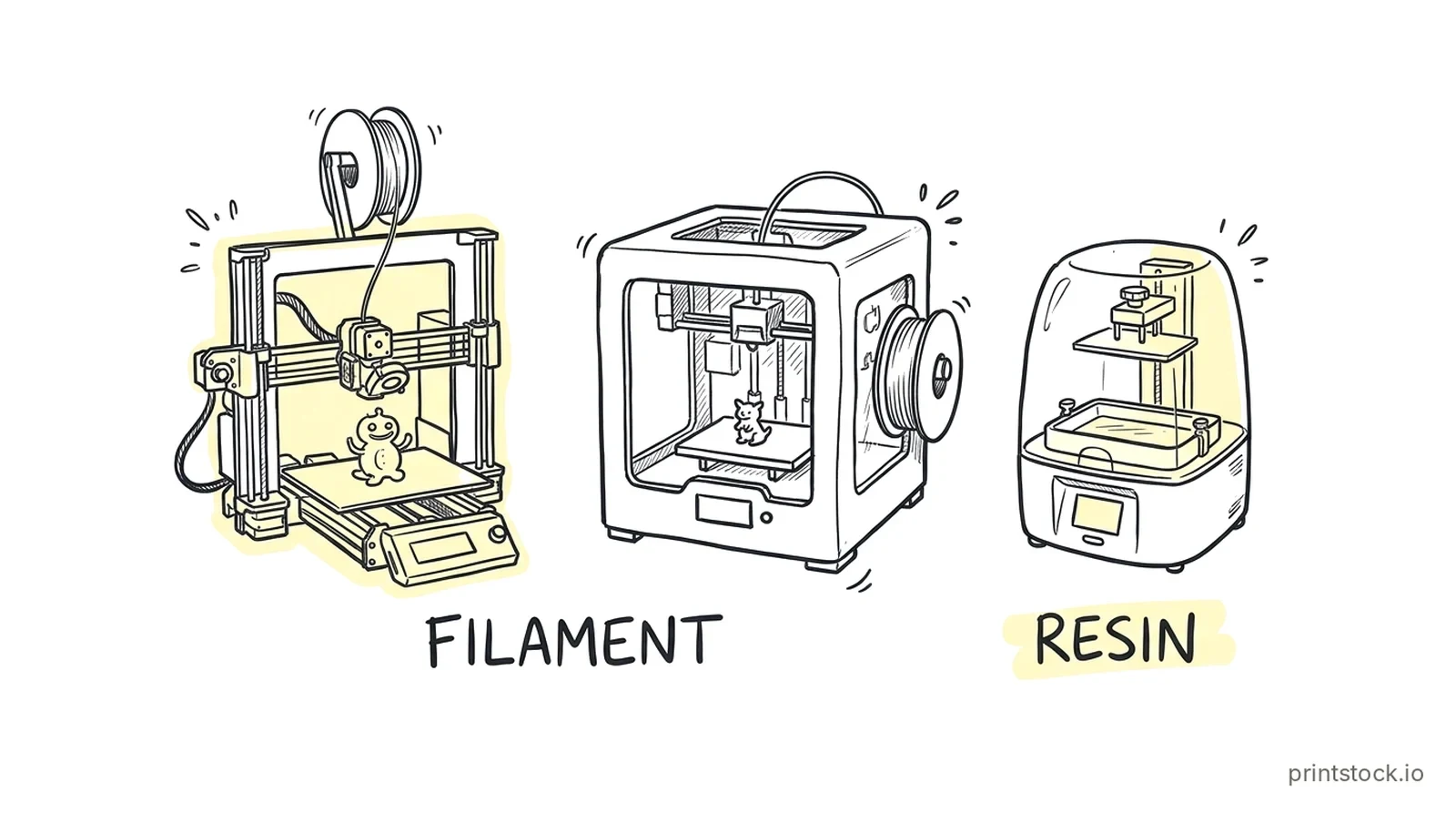
"3D printer" covers machines from a $150 desktop kit to a factory system the size of a car. If you are buying one, the long list of acronyms can make the choice look harder than it is. In practice, almost everyone choosing a printer for home or a small business picks between two types, and the decision comes down to what you want to make.
How many types of 3D printers are there?
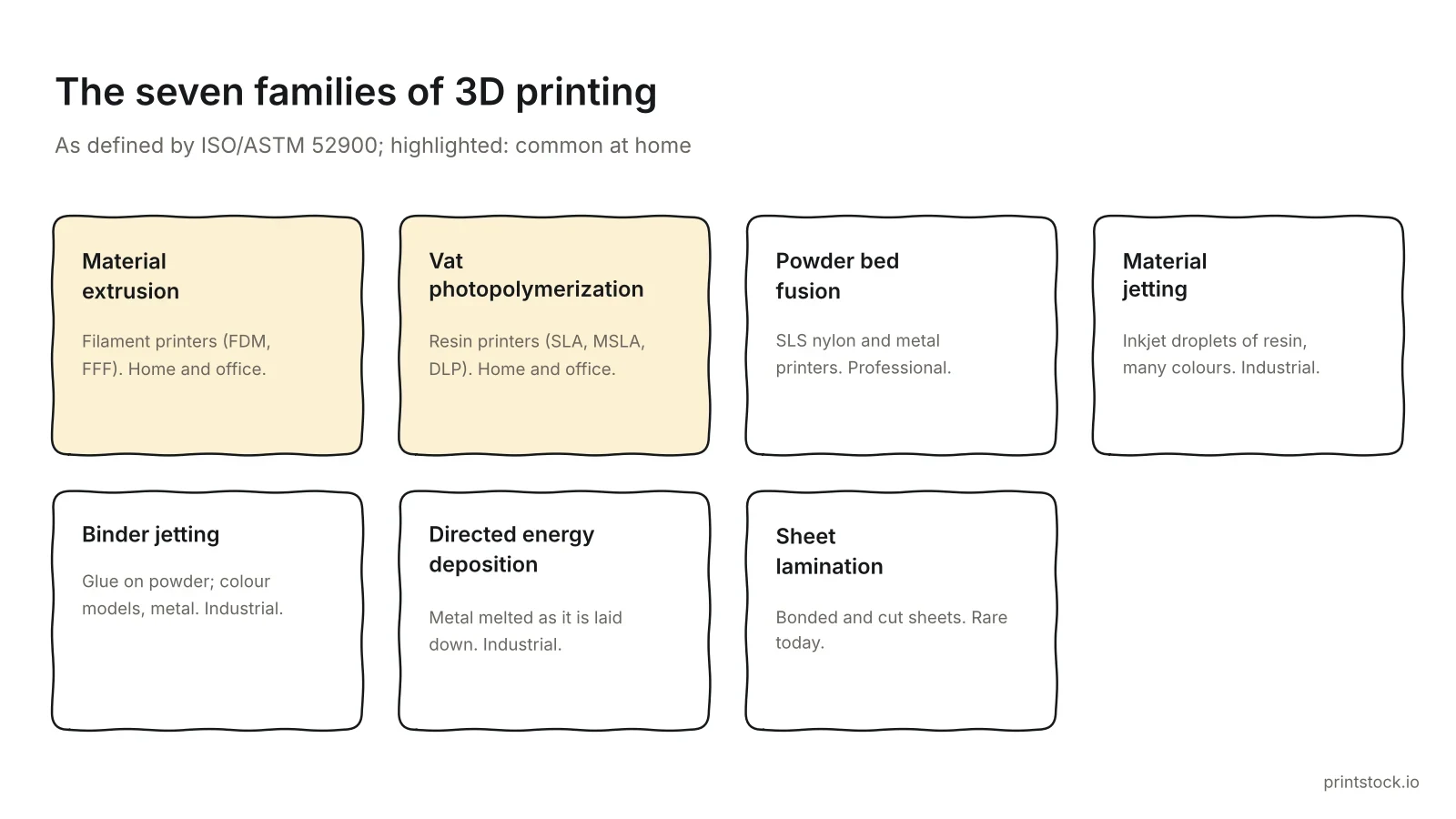
The ISO/ASTM 52900 standard groups all 3D printing into seven families, defined by how each layer is formed. For buyers, the useful split is simpler: two families are common at home, one is used by professionals, and four are industrial.
The seven families are material extrusion (filament printers), vat photopolymerization (resin printers), powder bed fusion (SLS and metal printers), material jetting, binder jetting, directed energy deposition and sheet lamination. Each has its own trade-off between detail, strength, materials, speed and cost.
Filament printers (FDM / FFF)
Filament printers melt a plastic strand in a hot nozzle and draw each layer with it; they are the most common, most versatile and cheapest type of 3D printer. The technology is called fused deposition modeling (FDM) or fused filament fabrication (FFF), the same process under two names.
A filament printer suits practical things: brackets, enclosures, organisers, replacement parts, prototypes, cosplay props, toys and models. It prints a wide range of materials, from easy PLA to tough PETG, heat-resistant ABS and ASA, flexible TPU and fibre-reinforced blends. The parts come off the plate ready to use, apart from removing supports.
The limits are resolution and surface finish. A typical layer is 0.1 to 0.3 mm thick and the nozzle is usually 0.4 mm wide, so layer lines are visible and tiny details, like the face of a 28 mm miniature, come out soft. For most functional parts that does not matter; for display miniatures it does.
How filament printers differ: the motion system
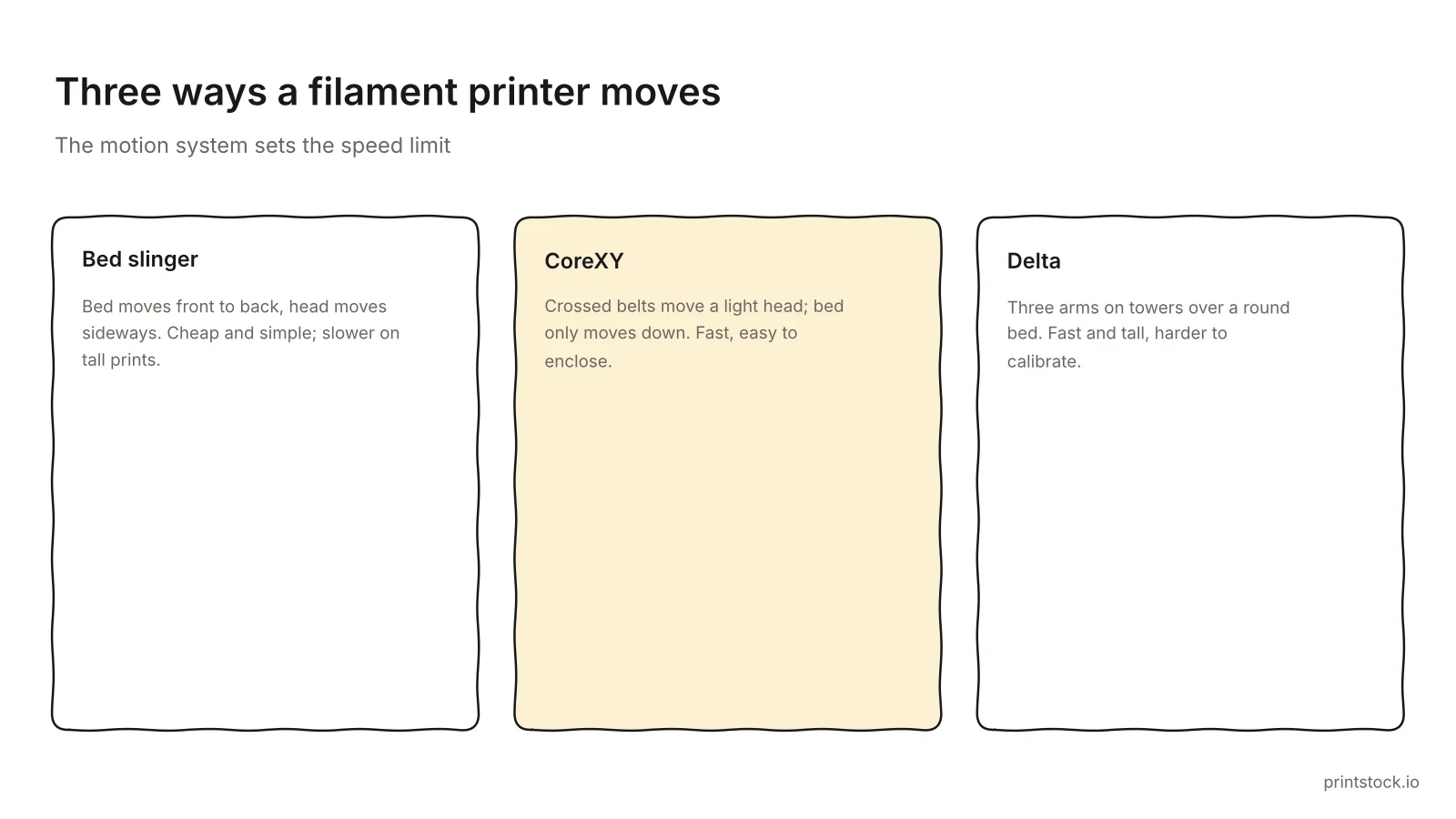
The biggest difference between filament printers is how they move the nozzle and the bed. It affects speed, print quality, footprint and whether the printer can be enclosed.
- Bed slinger (Cartesian i3 style). The bed moves front to back (Y), the print head moves left and right (X) and up (Z). Simple, cheap and easy to repair, but the moving bed limits speed on tall prints, and the printer needs space front and back for the bed to travel.
- CoreXY. Two motors with crossed belts move the print head in X and Y together, and the bed only moves down. The light, fast toolhead allows much higher speeds, and the boxy frame is easy to enclose for ABS and ASA. Most recent mid-range and premium printers use it.
- Delta. Three arms on vertical towers move the nozzle in all directions over a round, fixed bed. Deltas are fast and tall but harder to calibrate, and they are a niche today.
Multi-colour printing is now an option on many filament printers, either with a feeder that switches between several spools through one nozzle, or with several print heads that swap automatically. A single-nozzle system wastes some filament with every colour change; tool changers waste less but cost more.
Resin printers (SLA, MSLA, DLP)
Resin printers harden liquid resin with light, layer by layer, and give much finer detail and smoother surfaces than filament. They are the standard for miniatures, jewellery models, dental work and small detailed prototypes.
There are three ways to deliver the light. SLA traces each layer with a laser, as Chuck Hull's first printer did. MSLA, by far the most common at home, shines UV light through an LCD screen that masks each layer, so the whole layer cures at once. DLP projects each layer with a digital projector. With MSLA, every layer takes the same time whatever its area, so a full plate of parts prints about as fast as a single one.
The trade-off is handling. Uncured resin irritates skin, so you wear nitrile gloves; every part must be washed and then cured under UV light; and resin waste and dirty alcohol need careful disposal. Resin parts are also usually more brittle than filament parts, although tough and flexible resins narrow the gap. The film at the bottom of the vat and the LCD screen are wear parts that you will replace over time.
Filament or resin: which type should you buy?
Buy a filament printer if you mostly want practical parts or are new to 3D printing; buy a resin printer if you mostly want small, highly detailed models. If you want both, many makers end up with one of each.
| Filament (FDM) | Resin (MSLA) |
|---|---|---|
Best for | Functional parts, larger objects, prototypes | Miniatures, jewellery, fine detail |
Detail | Good; visible layer lines | Excellent; nearly invisible layers |
Part size | Medium to large | Small to medium |
Strength | Good to excellent | Brittle to good, depends on resin |
After printing | Remove supports | Wash, cure, remove supports |
Mess and safety | Low; hot parts, some fumes | Higher; gloves, ventilation, waste |
Learning curve | Gentle on modern printers | Gentle printing, more handling |
The catalog block below updates on its own: how many models of each machine type we track and the lowest current price we have found. It shows how far apart the entry prices of the two technologies, and of the other machines in a maker workshop, now are.
| Machine type | Models we track | Lowest price now |
|---|---|---|
| FDM | 143 | $139.24as of Nov 11, 2026 |
| Resin | 46 | $148.59as of Nov 11, 2026 |
| Laser | 77 | $75.99as of Nov 11, 2026 |
| CNC | 12 | $372.87as of Nov 11, 2026 |
| 3D scanner | 41 | $223.35as of Nov 11, 2026 |
| 3D pen | 8 | $39.99as of Nov 11, 2026 |
| Powder bed (SLS, MJF) | 15 | $23,990as of Nov 15, 2026 |
| Material jetting | 6 | n/a |
| Metal | 20 | n/a |
| Ceramic | 2 | n/a |
Live from our catalog: in-stock offers in US dollars from official stores and retailers.
Powder bed printers (SLS and metal)
Powder bed fusion printers use a laser or heat source to fuse fine powder, layer by layer, and produce strong parts without support structures. The unfused powder around the part holds it up, so complex shapes and moving assemblies can be printed in one piece.
Selective laser sintering (SLS) of nylon is the version smaller businesses can buy. It makes tough, functional parts that are close to injection-moulded quality, which is why print-on-demand services use it heavily. The costs are higher in every way: the machines, the powder, the space and the post-processing station to recover and sieve powder. Metal powder bed printers (often called DMLS or SLM) are industrial tools for aerospace, medical and tooling parts.
The other four families
Material jetting, binder jetting, directed energy deposition and sheet lamination are industrial methods you will meet through services, not on a desk.
- Material jetting sprays tiny droplets of resin that cure under UV light, a little like an inkjet printer, and can mix many colours and materials in one part. Used for realistic prototypes and medical models.
- Binder jetting glues layers of powder with an inkjet head. It makes full-colour sandstone models and, after sintering, metal parts in volume.
- Directed energy deposition melts metal wire or powder as it is laid down, often to repair or add features to large metal parts.
- Sheet lamination bonds and cuts sheets of paper, plastic or metal foil layer by layer; it is rare today.
What about laser engravers, CNC machines and 3D scanners?
Laser engravers, desktop CNC machines and 3D scanners are not 3D printers, but they belong to the same maker workshop and are often sold by the same brands. A 3D printer adds material; a laser burns or cuts it away; a CNC machine carves it; a 3D scanner captures a real object as a 3D model you can print or modify.
They fit together naturally: scan a broken part, fix the model, print a replacement; or print a jig and cut matching wood or acrylic pieces on a laser. That is why our catalog covers all of them, with the parts and accessories that fit each machine.
Common mistakes when choosing a type of 3D printer
The most common mistake is buying a resin printer for practical parts, or a filament printer for detailed miniatures, because of a video or a deal. Match the type to what you will print most often.
- Underestimating resin handling. The printing is easy; the washing, curing, gloves and waste are what put people off.
- Buying a bed slinger for ABS. It can be done with an add-on enclosure, but an enclosed CoreXY printer is far easier for heat-resistant materials.
- Ignoring spare parts. Every type has wear parts. Check that nozzles, plates, films and screens for your model are easy to buy before you choose it.
- Paying for size you will not use. Large printers cost more, take longer to heat and calibrate, and most prints are small.
Where to go from here
Use the printer catalog to compare filament and resin printers by size, motion system, enclosure and multi-colour support, with prices we check and owner-reported problems for each model. For a deeper look at the two main types, read how a 3D printer works, and for where they came from, the history of 3D printing.
For the laser side of the maker desk, see our guide to laser engravers.