UltiMaker S5
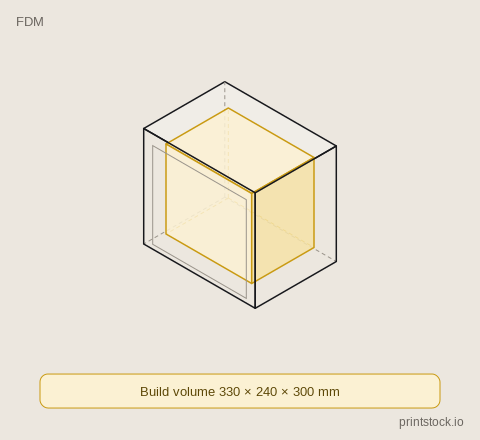
UltiMaker's best-selling professional dual extruder: 330 × 240 × 300 mm, swappable print cores, 280 °C, automatic leveling, flow sensors, 280+ materials; over 40,000 installed.
- Most nozzles of the 30 FDM printers we list
Where to buy
Prices as of Nov 11, 2026Taxes, shipping and any import duties are worked out by the store at checkout and depend on your country; ask the store if in doubt.
Store links may be affiliate links: we may earn a commission, and it does not change your price. Affiliate disclosure
Overview
The S5 has been the default professional desktop printer in many schools, universities and engineering offices since 2018, with more than 40,000 units installed. Its strength is predictability: dual extrusion with swappable print cores, automatic bed leveling, flow sensors that pause on filament problems, a camera, and over 280 validated material profiles in Cura, including PVA soluble supports, nylon, composites and even metal filaments.
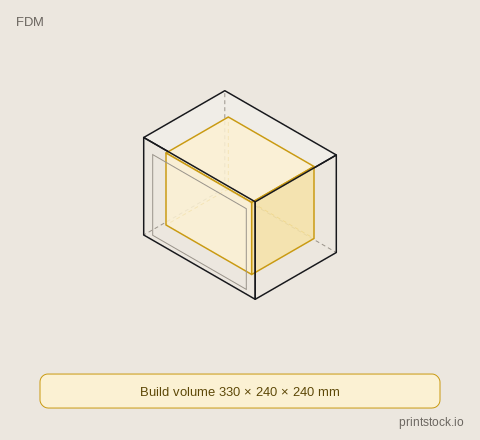
The 330 × 240 × 300 mm volume handles large parts and batches. Nozzles reach 280 °C and the bed 140 °C. The optional Material Station feeds and stores six spools, and the Air Manager adds filtration. UltiMaker's Speed Pack firmware roughly doubled its speed, but it remains slower than modern CoreXY printers.
The S6 has now succeeded it with about four times the speed and accessory compatibility, so new buyers should compare the two. The S5 remains easy to service, with parts and print cores widely stocked.
Best for
- Institutions wanting proven reliability
- Dual material and soluble supports
- Existing UltiMaker fleets
Look elsewhere if
- Speed-focused users: the S6 or S8
- Hobby budgets
Before you buy
- Compare with the S6 before buying new.
- Add the Speed Pack for faster printing.
- Uses 2.85 mm filament.
- Budget for spare print cores.
Pros and cons
Pros
- Proven reliability
- Swappable print cores
- Huge material library
- Easy to service
Cons
- Slow by modern standards
- Expensive
- 2.85 mm filament
What owners like
Strong build and broad material support
Praised by most ownersReviewers praise good print quality, wide material support and very strong build quality.
Excellent interface and remote management
Often praisedOwners highlight the user interface, documentation and remote management.
Collected the same way as known issues: from independent reviews, owner reports and public discussions, merged and grouped.
Known issues
Last reviewed Nov 13, 2026Popular models have longer lists simply because more people own them and talk about them. Severity and status show how much each problem matters today.
PVA snaps and grinds in the feeder
Moderate (affects prints)Workaround availableOwners report PVA support breaking in the feeder tube and blocking it, even from a new spool. UltiMaker's manual ties PVA grinding to humidity: store it below 50% and print below 55%.
Flooded print head after a print comes loose
Moderate (affects prints)Workaround availableCommunity experts call head floods fairly common on UM3, S3 and S5: a print that comes loose gets dragged around and plastic engulfs the hot end. Good bed adhesion is the prevention.
Material Station errors (Pro Bundle)
Moderate (affects prints)Still reportedOwners of the S5 Pro Bundle report runs of Material Station errors such as ER63, ER65 and unload failures.
How we build this list: we collect independent reviews, owner reports and public discussions on forums and social networks, merge duplicates and group them by cause. Only serious or recurring problems make the list, so a single complaint will not appear here, and a listed problem does not mean every unit is affected.
Specs
Printing
- Type
- FDM
- Made for
- Professional
- Build volume
- 330 × 240 × 300 mm
- Kinematics
- Other
- Multi-color
- Yes
- Nozzles / toolheads
- 2
Extruder and bed
- Extruder
- Bowden
- Stock nozzle
- 0.4 mm (0.25, 0.6 and 0.8 mm print cores)
- Nozzle / hotend
- Swappable print cores
- Max nozzle temp
- 280 °C
- Filament
- 2.85 mm
- Build plate
- Heated glass plate
- Max bed temp
- 140 °C
- Bed leveling
- Automatic
- Enclosure
- Yes
Control and sensors
- Screen
- Touchscreen, 4.7 in
- Features
- Filament runout sensor
Files and setup
- Files the slicer opens
- STL, OBJ, 3MF, G-code
- Arrives
- Ships assembled
Flow
- Extrusion flow
- Up to 24 mm³/s
Sensors
- Sensors
- Dual filament flow sensors, automatic leveling
Options
- Speed Pack
- Optional Speed Pack roughly doubles speed
From maker and store specifications, checked Nov 12, 2026. Power, size, network and warranty are in their own blocks below.
Power and setup
Electricity
- Rated power
- 500 W
Network and cloud
- Works without internet
- Yes, fully (SD card / USB / LAN)
- Maker account
- Only for cloud / remote features
- Local control for other software
- Open (documented or open source)
- Note
- Cura finds the printer on the local network and sends jobs without signing in; jobs also print from a USB drive. Digital Factory cloud features need an UltiMaker account. A local HTTP API is available.
Space and room
- Size (W × D × H)
- 495 × 585 × 780 mm
- Weight
- 20.6 kg
On a standard power circuit
- US 15 A / 120 V standard circuit: fine, and about 900 W stays free for other things on that circuit while it heats up
- EU/UK 16 A / 230 V standard circuit: fine, and about 2,400 W stays free for other things on that circuit while it heats up
Our calculation from the maker's rated power, keeping a circuit at 80% for long loads.
Safety and support
Safety
- Noise (maker figure)
- 50 dB, under 50 dBA (maker)
Computer you need
- Runs on
- Windows, macOS (Apple silicon), Linux
Software and firmware
- Slicer / control software
- UltiMaker Cura
- Firmware
- UltiMaker firmware via Cura or Digital Factory
- Connectivity
- Wi-Fi, Ethernet, USB; Digital Factory cloud
Official firmware and downloads ↗ We never host firmware files.
Questions people ask
Is the S5 discontinued?
The S6 is its successor; resellers still list the S5.
What is a print core?
A swappable hotend cartridge; AA for build materials, BB for soluble supports, CC for abrasives.
How hot can it print?
Up to 280 °C.
Models proven to print on the UltiMaker S5
Coming soonClosest alternatives by price
Compare all side by side