Stratasys F170
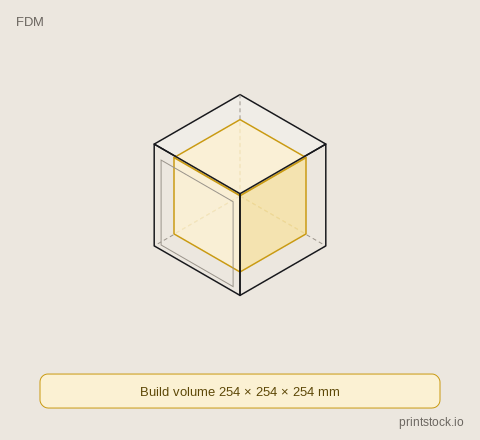
Stratasys F170: office-friendly industrial FDM with a heated chamber, soluble support and GrabCAD Print; build volume 254 × 254 × 254 mm.
- Most nozzles of the 30 FDM printers we list
How to buy
Stratasys sells this machine through quotes and resellers; the price depends on configuration, software and service.
Taxes, delivery, installation and any import duties are set by the seller when you order; agree them with the maker or its reseller.
Overview
The F170 is the entry point to Stratasys FDM, the technology the company invented. It is part of the F123 series with the F270 and F370, which share one chassis and differ in build volume and materials. The F170 prints a 254 mm cube in a heated, insulated chamber with two heads: one for the part and one for QSR soluble support that dissolves away in a wash tank.
The appeal is predictability rather than specs. The materials come in sealed Stratasys canisters with tuned profiles, the machine runs quietly enough for an office, and GrabCAD Print handles slicing and job queues. Stratasys told the press it would sell the F170 below $20,000 at launch; today it is sold on quotation through resellers.
The trade-off is a closed system. You cannot load cheaper third-party filament, and the F123 series does not print PEEK or ULTEM.
Best for
- Engineering teams that want hands-off prototypes
- Schools and offices that need a quiet, enclosed machine
- Parts with complex internal supports
Look elsewhere if
- You want open materials or PEEK and ULTEM: the F123 series does not print them
- You print mostly PLA prototypes: open desktop printers cost a fraction
Before you buy
- Ask the reseller for material cost per cubic inch.
- Check service plan pricing.
- The F123 machines are closed systems: they run Stratasys canisters, which cost more per kilogram than open filament. Budget material cost per part before comparing them with open printers.
Pros and cons
Pros
- Soluble support
- Stratasys reliability and service
- Quiet, office-friendly
Cons
- Closed materials
- Quote only
- No high-temperature materials
Known issues
Last reviewed Nov 15, 2026We have not found serious or recurring problems with this model so far.
How we build this list: we collect independent reviews, owner reports and public discussions on forums and social networks, merge duplicates and group them by cause. Only serious or recurring problems make the list, so a single complaint will not appear here, and a listed problem does not mean every unit is affected.
Specs
Printing
- Type
- FDM
- Process
- FDM (filament)
- Made for
- Professional
- Build volume
- 254 × 254 × 254 mm
- Kinematics
- Cartesian gantry
- Multi-color
- No
- Nozzles / toolheads
- 2
- Materials
- PLA, ABS, ASA, TPU
- Layer thickness
- 0.127, 0.178, 0.254 or 0.330 mm by material
Extruder and bed
- Extruder
- Direct drive
- Filament
- 1.75 mm
- Build plate
- Reusable build trays
- Enclosure
- Yes
Control and sensors
- Screen
- Touchscreen
Extrusion
- Heads
- 2 (model and soluble QSR support), replaceable
Materials
- Model materials
- PLA, ABS-M30, ASA, TPU 92A, ABS-CF10
- Support
- QSR soluble support; breakaway for PLA
Build
- Chamber
- Heated, enclosed, insulated
Software
- Software
- GrabCAD Print; Wi-Fi and Ethernet
From maker and store specifications, checked Nov 15, 2026. Power, size, network and warranty are in their own blocks below.
Power and setup
Network and cloud
- Works without internet
- Yes, fully (SD card / USB / LAN)
- Local control for other software
- Limited or behind a special mode
- Built-in camera
- Yes
- Note
- Ethernet, Wi-Fi or a USB drive; jobs come only from Stratasys software such as GrabCAD Print, which also shows the built-in camera. Software vendors can connect through the GrabCAD Printer Connectivity API.
Space and room
- Size (W × D × H)
- 1,626 × 864 × 711 mm
- Weight
- 227 kg
For business buyers
What the room needs
- Office-friendly: enclosed, about 46 dB
Software and firmware
- Slicer / control software
- GrabCAD Print (Windows)
- Connectivity
- Wi-Fi, Ethernet
Questions people ask
What is the F170 build volume?
254 × 254 × 254 mm
What software does the F170 use?
GrabCAD Print, Stratasys's slicing and job management software, plus GrabCAD Print Pro as an option.
Can it use third-party filament?
The F123 series runs Stratasys material canisters. It is a closed system tuned for those materials.
Models proven to print on the Stratasys F170
Coming soonClosest alternatives by price
Compare all side by side