$29 as of Nov 12, 2026Check price
Sculpfun
Sculpfun SF-A9 20W
Laser
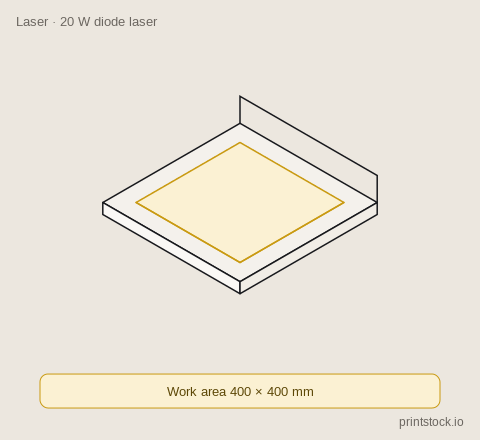
SF-A9 platform at 20 W: 400 × 400 mm area and reinforced frame, for engraving and moderate cutting at a lower price than the 40 W.
Where to buy
Prices as of Nov 11, 2026Taxes, shipping and any import duties are worked out by the store at checkout and depend on your country; ask the store if in doubt.
Store links may be affiliate links: we may earn a commission, and it does not change your price. Affiliate disclosure
Overview
The SF-A9 20 W uses the same reinforced frame and 400 × 400 mm area as the 40 W model with a 20 W diode, for buyers who mostly engrave and cut thinner stock.
It shares accessories such as the CAM500 camera and RA Pro Max rotary, and works with LightBurn and LaserGRBL. Compared with the S30 Pro Max at a similar price, the SF-A9 frame is newer and stiffer.
For heavy cutting, the 40 W version is the better long-term choice. Open-frame safety rules apply.
Best for
- Engraving with moderate cutting
- Buyers wanting the SF-A9 frame for less
- Gift makers
Look elsewhere if
- Thick cutting
- Indoor without ventilation
Before you buy
- Wear laser safety glasses rated for the wavelength unless the machine is a certified Class 1 enclosure.
- Plan ventilation or a fume purifier; never cut PVC or vinyl.
- Compare with the S30 Pro Max.
- Consider 40 W if you cut often.
Pros and cons
Pros
- Stiff frame
- Good accessories
- Cheaper than 40 W
Cons
- Lower cutting power
- Open frame
Known issues
Last reviewed Nov 13, 2026We have not found serious or recurring problems with this model so far.
How we build this list: we collect independent reviews, owner reports and public discussions on forums and social networks, merge duplicates and group them by cause. Only serious or recurring problems make the list, so a single complaint will not appear here, and a listed problem does not mean every unit is affected.
Specs
Printing
- Type
- Laser
- Max speed
- 600 mm/s
- Laser
- 20 W diode laser
- Laser type
- Diode
- Laser output
- 20 W
- Cuts through
- WoodPlywoodLeatherPaper and cardboardFabric and feltCorkFoamMDFBambooAcrylicdark or opaqueRubber
- Engraves or marks
- WoodPlywoodMDFBambooLeatherPaper and cardboardFabric and feltCorkRubberAcrylicdark or opaqueStone and slateAnodized aluminiumPainted or coated metalStainless steel
Hardware
- Enclosure
- No
Laser
- Power
- 20 W diode
Area
- Work area
- 400 × 400 mm
Frame
- Frame
- SF-A9 reinforced frame
Options
- Camera
- CAM500 compatible
- Rotary
- RA Pro Max roller
Software
- Software
- LightBurn, LaserGRBL
Upgrade
- Upgrade path
- 40 W SF-A9 version
From maker and store specifications, checked Nov 12, 2026. Power, size, network and warranty are in their own blocks below.
Safety and support
Safety
- Laser class
- Class 4 laser product
- Laser safety features
- Emergency stop button, Air assist
Warranty and repair
- Warranty
- 12 months; 12 months on products bought from the official Sculpfun store; resellers handle their own sales
- Spare parts store
- Official page ↗
Software and firmware
- Slicer / control software
- LightBurn, LaserGRBL, Sculpfun app
- Firmware
- Sculpfun firmware
- Connectivity
- USB, Wi-Fi (model dependent)
Official firmware and downloads ↗ We never host firmware files.
Questions people ask
What is the difference from the 40 W?
Laser power; the frame and area are the same.
What is the area?
400 × 400 mm.
Does it work with LightBurn?
Yes.
Compatible accessories
Everything that fits the Sculpfun SF-A9 20W
$54.99 as of Nov 12, 2026Check price
$79.99 as of Nov 12, 2026Check price
$69.99 as of Nov 12, 2026Check price
$189.99 as of Nov 12, 2026Check price
$149.99 as of Nov 12, 2026Check price
Closest alternatives by price
Compare all side by side