$174.99 as of Nov 11, 2026Check price
Prusa Research
Original Prusa MINI+
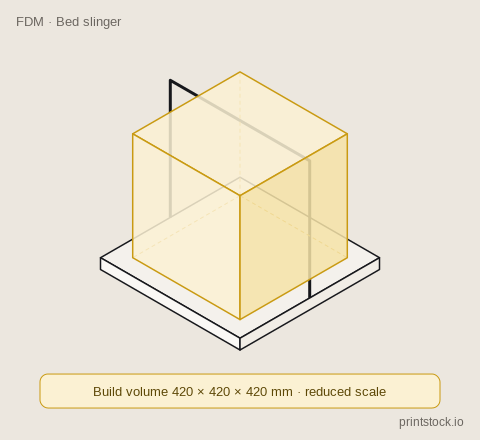
FDMBed slinger180 × 180 × 180 mm
Prusa's compact bed slinger: 180 × 180 × 180 mm, 32-bit Buddy board with input shaping, SuperPINDA leveling, removable steel sheets and Ethernet; sold as a kit or semi-assembled.
Where to buy
Prices as of Nov 11, 2026Taxes, shipping and any import duties are worked out by the store at checkout and depend on your country; ask the store if in doubt.
Store links may be affiliate links: we may earn a commission, and it does not change your price. Affiliate disclosure
Overview
The Original Prusa MINI+ has been Prusa's small, affordable printer since 2020. It is a compact bed slinger with a 180 mm cube volume, a 32-bit Buddy mainboard, a color screen, Ethernet and Prusa's magnetic steel sheets, and the plus version adds the SuperPINDA probe for reliable automatic leveling. It is sold as a kit or semi-assembled, and the frame can be built in an afternoon.
It has aged well thanks to firmware: input shaping and faster profiles arrived years after launch, so it prints considerably quicker than when it was introduced. Reviewers consistently praise its print quality, documentation and reliability, and it shares Prusa's open-source, repairable approach with spare parts for years. An optional enclosure helps with ASA and ABS.
In 2026 it is clearly slower and smaller than budget CoreXY machines and the Bambu Lab A1 mini, which also adds multicolor. It uses a Bowden extruder, which makes very soft TPU harder. It makes sense for buyers who value Prusa's support, local network printing without a cloud account and an easily repaired printer, or as a reliable second printer for small parts.
Best for
- Small parts, prototypes and classroom printing
- Buyers who value Prusa support and repairability
- A reliable second printer for a workshop
Look elsewhere if
- You want speed or multicolor at the same price: look at the Bambu Lab A1 mini
- You need a larger build volume
Before you buy
- Kit saves money but needs a few hours to assemble.
- Update to the latest firmware for input shaping and faster profiles.
- Flexible filaments are harder through the Bowden setup.
- Consider the enclosure if you plan to print ASA or ABS.
Pros and cons
Pros
- Excellent print quality
- Open source and repairable
- Ethernet and Prusa Connect
- Long firmware support
Cons
- Small build volume
- Slower than modern CoreXY printers
- Bowden extruder
What owners like
Professional quality on a small scale
Praised by most ownersTom's Hardware calls it professional-quality printing at home, easy to set up, with a strong online community.
More reliable than cheaper entry printers
Often praisedTom's Guide says it beats cheaper rivals on ease of use, reliability and quality.
Collected the same way as known issues: from independent reviews, owner reports and public discussions, merged and grouped.
Known issues
Last reviewed Nov 13, 2026Popular models have longer lists simply because more people own them and talk about them. Severity and status show how much each problem matters today.
Bowden extruder causes extrusion problems
Moderate (affects prints)Workaround availableReviewers and owners blame the Bowden setup for under-extrusion and blockages; some needed to adjust the hotend and replace the PTFE tube.
Clogs after switching materials
Minor (annoyance)Workaround availablePrusa notes that changing from PLA to PETG at PLA temperatures can clog the hotend; a cold pull clears most partial or full clogs.
Small bed and high price for the size
Minor (annoyance)Still reportedThe build area is limited and the printer is expensive compared with other beginner printers.
Spool holder sits separately
Minor (annoyance)Still reportedThe reel stands next to the printer, and calibration can be tricky for beginners.
Already fixed: 1 (show)
Early production faults
Minor (annoyance)Fixed in firmwareEarly MINI units had a run of issues such as under-extrusion and filament unloading problems on early firmware; owners report most were fixed in later production and firmware.
How we build this list: we collect independent reviews, owner reports and public discussions on forums and social networks, merge duplicates and group them by cause. Only serious or recurring problems make the list, so a single complaint will not appear here, and a listed problem does not mean every unit is affected.
Specs
Printing
- Type
- FDM
- Build volume
- 180 × 180 × 180 mm
- Kinematics
- Bed slinger
- Multi-color
- No
- Nozzles / toolheads
- 1
- Layer height
- 0.05 to 0.35 mm
Extruder and bed
- Extruder
- Bowden
- Stock nozzle
- 0.4 mm
- Max nozzle temp
- 280 °C
- Filament
- 1.75 mm
- Build plate
- Removable magnetic steel sheets (smooth, textured or satin)
- Max bed temp
- 100 °C
- Bed leveling
- Automatic
- Enclosure
- No
Control and sensors
- Screen
- Screen with knob, 2.8 in
- Features
- Input shapingFlow calibrationFilament runout sensorSilent mode
Files and setup
- Files the slicer opens
- G-code
- Arrives
- Partly assembled (quick setup)
Motion
- Electronics
- 32-bit Buddy board; input shaping in later firmware
Materials
- Materials
- PLA, PETG, ASA, ABS, Flex
Features
- Filament sensor
- Optional or in bundles
Delivery
- Versions
- Kit or semi-assembled
From maker and store specifications, checked Nov 12, 2026. Power, size, network and warranty are in their own blocks below.
Power and setup
Electricity
- Rated power
- 160 W
Network and cloud
- Works without internet
- Yes, fully (SD card / USB / LAN)
- Maker account
- Only for cloud / remote features
- Local control for other software
- Open (documented or open source)
- Note
- PrusaLink on the local network after fitting the Wi-Fi module or using Ethernet; Prusa Connect cloud is optional
Space and room
- Size (W × D × H)
- 320 × 330 × 380 mm
- Weight
- 5 kg
On a standard power circuit
- US 15 A / 120 V standard circuit: fine, and about 1,250 W stays free for other things on that circuit while it heats up
- EU/UK 16 A / 230 V standard circuit: fine, and about 2,750 W stays free for other things on that circuit while it heats up
Our calculation from the maker's rated power, keeping a circuit at 80% for long loads.
Safety and support
Safety
- Safety and conformity marks
- CE (EU)
Warranty and repair
- Warranty
- 12 months; optional +1 or +2 year extension for MK4S, +1 year for MINI+; printers bought from third parties: one year from delivery
- Repair guides
- Official page ↗
- Open source
- Firmware
Running costs
| PLA filament, per kg | Cheapest in our catalog: Elegoo PLA Basic | $9.34 |
|---|
Starter budget: about $558 for the printer at its best listed price, 1 kg of PLA.
Cheapest compatible items in our catalog, USD prices as last checked. Prices change; see each item for the date.
Software and firmware
- Slicer / control software
- PrusaSlicer, OrcaSlicer, Cura
- Firmware
- Prusa firmware (open source)
- Connectivity
- USB drive, Ethernet, Prusa Connect
Official firmware and downloads ↗ We never host firmware files.
Questions people ask
What is the difference between the MINI and MINI+?
The MINI+ adds the SuperPINDA sensor for more reliable leveling; the original MINI is no longer made and can be upgraded with a kit.
Is the MINI+ still worth buying?
It is reliable and well supported, but newer budget printers are faster; buy it for Prusa's ecosystem and repairability.
Can it print TPU?
Yes, but slowly because of the Bowden extruder; very soft TPU is difficult.
Models proven to print on the Original Prusa MINI+
Coming soonFilaments that fit (66)
Matched by PrintStock from published specs: filament diameter, maximum nozzle and bed temperature and enclosure. Not a print test.
- PETG
- Anycubic PETG, Bambu Lab PETG Basic, Bambu Lab PETG Matte, Creality Hyper PETG, Elegoo PETG Pro, Elegoo Rapid PETG, eSUN PETG, eSUN PETG-Matte, Overture High Speed PETG, Polymaker PETG, Polymaker PolyLite PETG, Prusament PETG, Spectrum PETG, Spectrum PETG Premium High Speed, SUNLU PETG, SUNLU PETG 2.0
- PLA
- Anycubic PLA+, Anycubic PLA Basic, Anycubic PLA High Speed, Anycubic PLA Silk, Bambu Lab PLA Basic, Bambu Lab PLA Matte, Bambu Lab PLA Silk+, Bambu Lab PLA Translucent, Creality Hyper PLA, Creality Hyper PLA RFID, Elegoo PLA, Elegoo PLA Basic, Elegoo PLA Matte, Elegoo PLA Pro, Elegoo PLA Silk, eSUN PLA+, eSUN PLA Basic, eSUN PLA+HS, eSUN PLA-Matte, eSUN PLA-Silk Rainbow, Overture Easy PLA, Overture Matte PLA Dual Colors, Overture PLA+, Overture Silk PLA Gradient, Polymaker Panchroma PLA, Polymaker Panchroma PLA Matte, Polymaker Panchroma PLA Silk, Polymaker PLA Pro, Polymaker PolyLite PLA, Polymaker PolyLite PLA Pro, Polymaker PolyLite Silk PLA, Polymaker PolyMax PLA, Polymaker PolyTerra PLA, Prusament PLA, Spectrum Huracan PLA, Spectrum PLA, Spectrum PLA Pro, Spectrum Premium PLA High Speed, SUNLU High-Speed PLA, SUNLU PLA+ 2.0, SUNLU Silk PLA+ 2.0
Compatible accessories
Everything that fits the Original Prusa MINI+Closest alternatives by price
Compare all side by side