$339 as of Nov 12, 2026Check price
Formlabs
Formlabs Form 4
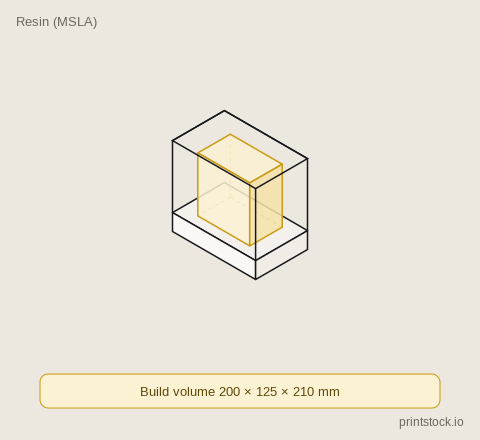
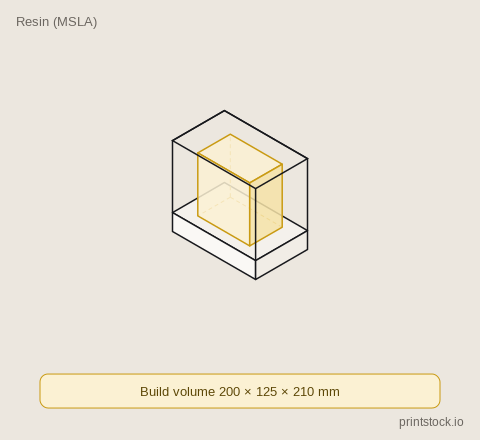
ProfessionalResinMSLA200 × 125 × 210 mm
Formlabs' professional MSLA printer: Low Force Display print engine, 200 × 125 × 210 mm, up to 100 mm/h, most parts in under two hours, six monitoring systems and a large validated materials library.
Where to buy
Prices as of Nov 11, 2026Taxes, shipping and any import duties are worked out by the store at checkout and depend on your country; ask the store if in doubt.
Store links may be affiliate links: we may earn a commission, and it does not change your price. Affiliate disclosure
Overview
The Form 4, launched in 2024, was a big change for Formlabs. Its earlier Form 3 traced each layer with a laser; the Form 4 switches to masked SLA, curing a whole layer at once through an LCD with a powerful backlight. Formlabs calls the engine Low Force Display, and combined with a new release texture on the tank it cuts peel forces, which is what allows the speed: up to 100 mm/h, with most parts done in under two hours.
What sets it apart from cheap MSLA printers is the system around it. Every printer is calibrated before shipping, six monitoring systems including force sensing, heating and debris detection catch problems, resin is dispensed from cartridges automatically, and Formlabs validates settings for a library of engineering, dental, castable and elastomer resins. TechRadar gave it an Editor's Choice for production-quality prints, and 3D Printing Industry highlighted its reliability.
The costs are ongoing: Formlabs resins and tanks are more expensive than generic ones, though Open Material mode allows third-party resins. Pixels are 50 µm, coarser on paper than consumer 12K and 16K printers, but dimensional accuracy and repeatability are its strength. For hobbyists, the Form Studio 1 brings the ecosystem down to $699.
Best for
- Engineering prototypes and production parts
- Businesses that need repeatable results with validated resins
- Castable, elastomer and high-temperature resin work
Look elsewhere if
- You print miniatures as a hobby: consumer printers or the Form Studio 1 cost far less
- You want the cheapest resin per liter
Before you buy
- Budget for Form Wash and Form Cure or equivalent post-processing.
- Formlabs resin cartridges cost more than generic resin; Open Material mode is available.
- Pick a package; service plans and accessories vary a lot.
- Resin tanks are consumables; check their expected life for your volume.
Pros and cons
Pros
- Fast LFD engine
- Excellent reliability and monitoring
- Large validated materials library
- Simple workflow in PreForm
Cons
- Expensive consumables
- Coarser pixels than consumer 16K printers
- Premium price
Maker's test data
- Print success rate
- 98.7% across 225 prints (15 models, 3 times each, on 5 printers) in tests run by an independent lab to a procedure Formlabs defined. Formlabs puts the field success rate at about 94%.
- Print time
- Formlabs examples: a game controller in 1 h 38 min vs 10 h 47 min on Form 3+; a typical part (53 mm tall, 100 µm layers) in under 2 hours.
- Dimensional tolerance
- ±0.15% in XY, per Formlabs.
Published by the manufacturer from its own tests. PrintStock has not verified these figures; owner reports below may confirm or contradict them.
What owners like
Outstanding quality and reliability
Praised by most ownersTechRadar calls print quality and reliability outstanding; Tom's Hardware got perfect prints with excellent resolution.
No expertise needed
Often praisedReviewers say it produces perfect prints without a background in engineering or chemistry, guided by on-screen instructions.
Collected the same way as known issues: from independent reviews, owner reports and public discussions, merged and grouped.
Known issues
Last reviewed Nov 13, 2026Popular models have longer lists simply because more people own them and talk about them. Severity and status show how much each problem matters today.
Locked to Formlabs resins and software
Moderate (affects prints)Still reportedThe printer only runs with PreForm and Formlabs materials, and the resin is expensive.
Dimensional accuracy varies between batches
Moderate (affects prints)Still reportedA semi-industrial user reported inconsistent dimensional accuracy from batch to batch, and curing workflow gaps carried over from the Form 3.
Pre-set supports can fail on large models
Minor (annoyance)Workaround availableLarge models with pre-placed supports could break away; switching to PreForm-generated supports fixed it.
Already fixed: 1 (show)
Cover hinges on early units will not stay open
Minor (annoyance)Fixed in a hardware revisionFormlabs lists a manufacturing defect in the cover hinges of a set of early Form 4 generation printers and sends a hinge replacement kit on request. It does not affect print performance.
How we build this list: we collect independent reviews, owner reports and public discussions on forums and social networks, merge duplicates and group them by cause. Only serious or recurring problems make the list, so a single complaint will not appear here, and a listed problem does not mean every unit is affected.
Specs
Printing
- Type
- Resin
- Made for
- Professional
- Build volume
- 200 × 125 × 210 mm
- Kinematics
- MSLA
- Resolution
- 50 µm pixels, LFD
- Technology
- Masked SLA with Low Force Display (LFD) engine
- Speed
- Up to 100 mm/h; most parts under 2 hours
- Layer height
- 25 to 200 µm
Hardware
- Build plate
- Build platform (Flex Build Platform optional)
Control and sensors
- Screen
- Touchscreen, 7 in
- Screen languages
- EnglishGermanFrenchSpanishItalianJapaneseSimplified Chinese
Files and setup
- Files the slicer opens
- STL, OBJ, 3MF
Engine
- Components
- Backlight unit, Light Processing Unit 4, release texture
- LPU life
- 75,000+ layers with any Formlabs material
Monitoring
- Sensors
- Six intelligent systems incl. force sensing and debris detection
Materials
- Materials
- 20+ Formlabs resins; Open Material mode
From maker and store specifications, checked Nov 12, 2026. Power, size, network and warranty are in their own blocks below.
Power and setup
Electricity
- Rated power
- 480 W
Network and cloud
- Works without internet
- Yes, fully (SD card / USB / LAN)
- Maker account
- Only for cloud / remote features
- Local control for other software
- Limited or behind a special mode
- Note
- PreForm sends jobs over USB or a local network with no internet access. Remote printing and Dashboard need a Formlabs account; the Formlabs Local API automates jobs through the PreForm server on a computer, not on the printer.
Space and room
- Size (W × D × H)
- 398 × 367 × 554 mm
- Weight
- 18.3 kg
On a standard power circuit
- US 15 A / 120 V standard circuit: fine, and about 950 W stays free for other things on that circuit while it heats up
- EU/UK 16 A / 230 V standard circuit: fine, and about 2,450 W stays free for other things on that circuit while it heats up
Our calculation from the maker's rated power, keeping a circuit at 80% for long loads.
Safety and support
Warranty and repair
- Warranty
- 12 months; At least one year against manufacturing defects; paid service plans add accident cover, priority support and up to five years in total
- Repair guides
- Official page ↗
Software and firmware
- Slicer / control software
- PreForm
- Firmware
- Formlabs firmware via PreForm or Dashboard
- Connectivity
- Wi-Fi, Ethernet, USB
Official firmware and downloads ↗ We never host firmware files.
Questions people ask
Is the Form 4 SLA or MSLA?
It is masked SLA: an LCD masks a backlight to cure whole layers, unlike the laser-based Form 3.
Can I use third-party resins?
Yes, with Open Material mode, though Formlabs validates only its own resins.
How fast is it?
Up to 100 mm/h; Formlabs says most parts print in under two hours.
Models proven to print on the Formlabs Form 4
Coming soonCompatible accessories
Everything that fits the Formlabs Form 4
$4,500 as of Nov 12, 2026Check price
$999 as of Nov 12, 2026Check price
$699 as of Nov 12, 2026Check price
$349 as of Nov 12, 2026Check price
$179 as of Nov 12, 2026Check price
Closest alternatives by price
Compare all side by side