$14.88 as of Nov 12, 2026Check price
Creality
Creality Falcon2 Pro 60W
LaserEnclosed
Enclosed high-power diode laser: adjustable 22/40/60 W beam, bonus 1.6 W fine-detail module, 400 × 415 mm bed, built-in camera; cuts 22 mm basswood in one pass.
Where to buy
Prices as of Nov 11, 2026Taxes, shipping and any import duties are worked out by the store at checkout and depend on your country; ask the store if in doubt.
Store links may be affiliate links: we may earn a commission, and it does not change your price. Affiliate disclosure
Overview
Creality introduced the Falcon2 Pro in 2024 as the first fully enclosed 60 W diode laser. Its laser head combines several diodes and lets you switch the beam between about 20, 40 and 60 W, trading cutting power for a finer spot: the lower setting is for detailed engraving, the full 60 W for cutting. The 40 W and 60 W versions also ship with a separate 1.6 W module for very fine engraving.
With a 400 × 415 mm bed inside an enclosure, a built-in camera for positioning and Class 1 certification, it targets small businesses making signs, layered wall art and wood products. Creality claims single-pass cuts through 22 mm basswood and 30 mm black acrylic, and Tom's Hardware's review praised its deep cuts and fine engravings.
It is a big, heavy machine, and like all diode lasers it cannot cut clear acrylic. At high power it produces a lot of smoke, so a strong exhaust is essential. Prices have dropped well below the $2,659 launch MSRP in Creality's stores, which makes it competitive with entry CO2 lasers; compare it with the xTool P2S if you need clear acrylic.
Best for
- Small businesses cutting wood signs and layered art
- Thick plywood and dark acrylic cutting
- Users who want an enclosed diode laser with a big bed
Look elsewhere if
- You need to cut clear or white acrylic: choose a CO2 laser
- You only engrave small items: a smaller enclosed laser is cheaper
Before you buy
- Plan for a strong exhaust; 60 W cutting produces heavy smoke.
- Check current discounts; the price varies widely by store.
- Use the 1.6 W or lower beam setting for photo engraving.
- It is large and heavy; measure your bench.
Pros and cons
Pros
- 60 W cutting power
- Adjustable beam for engraving and cutting
- Large enclosed bed
- Camera positioning
Cons
- Cannot cut clear acrylic
- Heavy and large
- Heavy smoke at full power
Maker's test data
- One-pass cutting
- 22 mm basswood, 30 mm black acrylic and 0.2 mm stainless steel sheet in a single pass at 60 W; Creality also claims about 3 times the cutting speed of its 22 W module.
Published by the manufacturer from its own tests. PrintStock has not verified these figures; owner reports below may confirm or contradict them.
What owners like
Deep cuts and fine engravings
Praised by most ownersTom's Hardware credits the 60W version with deep cuts and fine engraving detail.
Smart safety warnings and camera
Often praisedReviewers like the camera, LED lighting, air and fire warnings and a sensor that tells you when the lens is dirty.
Clear printed manual
Noted by some ownersTom's Hardware notes a printed manual with illustrated assembly and troubleshooting steps.
Collected the same way as known issues: from independent reviews, owner reports and public discussions, merged and grouped.
Known issues
Last reviewed Nov 13, 2026Popular models have longer lists simply because more people own them and talk about them. Severity and status show how much each problem matters today.
Light leaks from the enclosure
Moderate (affects prints)Still reportedTom's Hardware found the enclosure the weakest part of the machine, with light leakage the most serious problem.
Exhaust fan, light or auto shut-off stop working
Moderate (affects prints)Workaround availableOwners report the exhaust fan, LED bar and automatic shut-off failing; Creality has a dedicated wiki page for the LED and fan fault.
Wobbly bed slats distort engravings
Moderate (affects prints)Workaround availableThe long, thin slats flex and wobble during engraving, which distorted the first test engravings. No honeycomb table or clamps come in the box.
Thin top cover
Moderate (affects prints)Still reportedThe acrylic lid is thin, feels fragile and may not filter all laser radiation; a blue glow shows through the side panels at full power.
Fiddly enclosure assembly
Minor (annoyance)Workaround availableAssembly takes longer than advertised, the lid is the most frustrating part, and the acrylic panels pop out of their rails if not seated correctly.
No screen and no Wi-Fi
Minor (annoyance)Still reportedThere is no touchscreen and no network connection: jobs go over USB or microSD, and the camera needs a second USB-C port.
Manual focus and slow module swaps
Minor (annoyance)Still reportedFocus is set by hand with a block, and switching between the 60W and 1.6W modules takes several minutes.
Smoke handling costs extra
Minor (annoyance)Still reportedProper smoke removal needs the optional air purifier at extra cost, and the included purifier is fairly loud for a home office.
Camera hard to get accurate in LightBurn
Minor (annoyance)Still reportedOwners report the camera is unreliable and difficult to calibrate accurately in LightBurn.
How we build this list: we collect independent reviews, owner reports and public discussions on forums and social networks, merge duplicates and group them by cause. Only serious or recurring problems make the list, so a single complaint will not appear here, and a listed problem does not mean every unit is affected.
Specs
Printing
- Type
- Laser
- Max speed
- 417 mm/s
- Laser
- 60 W laser
- Laser type
- Diode
- Laser output
- 60 W
- Cuts through
- WoodPlywoodLeatherPaper and cardboardFabric and feltCorkFoamMDFBambooAcrylicdark or opaqueRubber
- Engraves or marks
- WoodPlywoodMDFBambooLeatherPaper and cardboardFabric and feltCorkRubberAcrylicdark or opaqueStone and slateAnodized aluminiumPainted or coated metalStainless steel
Hardware
- Enclosure
- Yes
Control and sensors
- Features
- Built-in camera
Laser
- Main module
- 60 W diode, adjustable to 20/22 W, 40 W and 60 W
- Detail module
- Bonus 1.6 W module for fine engraving
Working area
- Area
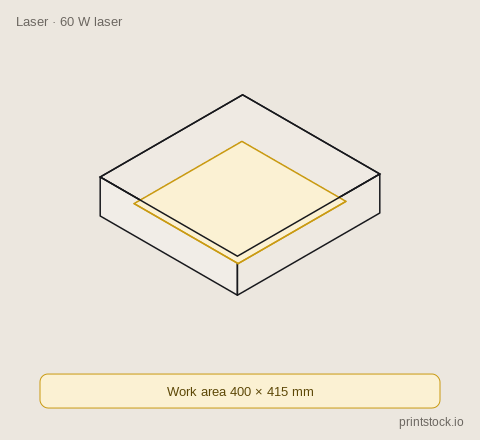
- 400 × 415 mm
Cutting
- Cutting
- 22 mm basswood, 30 mm black acrylic, 0.2 mm stainless sheet in one pass (Creality)
Cameras
- Camera
- Built-in camera for auto-positioning
Safety
- Laser class
- Class 1 enclosure
Features
- Resume
- Power failure resume
Focus
- Positioning
- Cross focus positioning system
From maker and store specifications, checked Nov 12, 2026. Power, size, network and warranty are in their own blocks below.
Power and setup
Electricity
- Rated power
- 360 W
Network and cloud
- Works without internet
- Yes, fully (SD card / USB / LAN)
- Software from other makers
- Supported
- Note
- Controlled from LaserGRBL or LightBurn over USB-C, or offline from G-code on a TF card; no Wi-Fi.
Space and room
- Size (W × D × H)
- 664 × 570 × 328 mm
- Weight
- 19.51 kg
On a standard power circuit
- US 15 A / 120 V standard circuit: fine, and about 1,050 W stays free for other things on that circuit while it heats up
- EU/UK 16 A / 230 V standard circuit: fine, and about 2,550 W stays free for other things on that circuit while it heats up
Our calculation from the maker's rated power, keeping a circuit at 80% for long loads.
Safety and support
Safety
- Laser class
- Class 1 laser product
Warranty and repair
- Warranty
- 12 months; complete machine; wear parts shorter
- Spare parts store
- Official page ↗
- Repair guides
- Official page ↗
Software and firmware
- Slicer / control software
- Creality Falcon Design Space, LightBurn
- Firmware
- Updated through Falcon Design Space
- Connectivity
- Wi-Fi, USB
Official firmware and downloads ↗ We never host firmware files.
Questions people ask
Is the Falcon2 Pro a CO2 laser?
No, it is a diode laser; it combines diodes for 60 W of optical power.
How thick can it cut?
Creality claims 22 mm basswood and 30 mm black acrylic in one pass.
What is the 1.6 W module for?
Very fine engraving such as photos and small text, where a smaller spot matters more than power.
Compatible accessories
Everything that fits the Creality Falcon2 Pro 60W
$59.99 as of Nov 12, 2026Check price
$17.52 as of Nov 11, 2026Check price
$69.99 as of Nov 12, 2026Check price
Closest alternatives by price
Compare all side by side