Creality Falcon T1 Diode 20W
Falcon T1 with the 20 W blue diode module: an enclosed Class 1 galvo laser workstation from Creality that accepts five swappable modules. The entry version for wood, leather and acrylic.
- Highest rated speed of the 51 Laser engravers under $3,500 we list
Where to buy
Prices as of Nov 11, 2026Taxes, shipping and any import duties are worked out by the store at checkout and depend on your country; ask the store if in doubt.
Store links may be affiliate links: we may earn a commission, and it does not change your price. Affiliate disclosure
Overview
The Creality Falcon T1, launched on May 29, 2026, is a fully enclosed galvo laser workstation built around swappable laser modules. Creality calls it a 5-in-1 machine: the same chassis accepts a 20 W or 40 W blue diode, a 20 W fiber, a 60 W MOPA and a 5 W UV module, and Creality says a module swap takes about 15 seconds. Each version is sold as a complete machine with one module, and other modules can be added later. This page covers the 20 W blue diode version, list price about $2,499 in the US.
The 20 W diode is the cheapest way into the T1 and the general-purpose choice: it engraves and cuts wood, leather, card and dark acrylic, and marks coated metals. It is not a sheet cutter: galvo machines have a small field, so it suits engraving products such as coasters, tags and gifts rather than cutting large panels.
The platform is Class 1 enclosed with flame monitoring, uses galvo mirrors for very fast motion, and works with a conveyor, rotary kit, flexible fixture and smoke purifier sold separately. Reviews were positive about the hardware but noted the price: Tom's Hardware calculated close to $9,900 for the base machine plus every module, found the rotary attachment unreliable in testing, and pointed out that the MOPA and UV modules lacked firm retail dates at launch and that safety goggles are not included.
Best for
- Craft sellers engraving wood and leather gifts
- Buyers who want a path to fiber, MOPA or UV later
- Small studios needing enclosed, fast engraving
Look elsewhere if
- You only engrave metal: start with the fiber module
- You need a large working area for cutting sheets: a gantry laser like the Falcon2 Pro fits better
Before you buy
- Buy the module that matches the material you work with most; adding modules later is expensive.
- Check availability of MOPA and UV modules before planning around them.
- Budget for a smoke purifier or ducting; galvo jobs produce a lot of fumes.
- Goggles are not included; use certified eyewear when the enclosure is open or modified.
Pros and cons
Pros
- Five laser types in one chassis
- Fast galvo motion
- Enclosed Class 1 design
- Good software and accessories
Cons
- Expensive, especially with several modules
- Small galvo working area
- Rotary accessory issues in review
Known issues
Last reviewed Nov 13, 2026Popular models have longer lists simply because more people own them and talk about them. Severity and status show how much each problem matters today.
Cuts angle toward the edges of the field
Moderate (affects prints)Workaround availableThe galvo beam comes from one point above the center, so cut walls lean more the further a part sits from the middle. This matters for interlocking parts and thick material; keep precise cuts near the center.
Conveyor mode needs the lid slightly open
Moderate (affects prints)Still reportedRunning the conveyor means leaving the lid ajar, which lets smoke and laser light escape and turns the machine into an exposed Class 4 setup. Eye protection and good ventilation are required.
Compact purifier struggles with cutting
Moderate (affects prints)Workaround availableThe small AP1 Mini purifier copes with engraving, but cutting plywood or acrylic produces more smoke than it can handle. A stronger extractor or venting outside is needed for regular cutting.
Software feels unfinished
Moderate (affects prints)Still reportedOwners and reviewers report rough edges in Falcon Design Space: odd AI-generated designs, scaling only in 10% steps, crystal engravings placed lower than the preview suggests and messages that read like beta builds.
Inner engraving calibration questions
Minor (annoyance)Workaround availableOwners engraving inside crystal or glass ask about calibration and placement on the official forum, and Creality points many of them to its Discord helpers instead of documentation.
Job time estimates run short
Minor (annoyance)Still reportedEstimated processing times can be well below reality on deep relief work; one 3D relief estimated under two hours took over two and a half.
Dust builds up inside after deep engraving
Minor (annoyance)Workaround availableDeep engraving in stone or slate leaves a lot of dust inside the machine even with the purifier at full speed, so plan for cleaning after such jobs.
Awkward handheld screen
Minor (annoyance)Still reportedThe LCD cable leaves from the side of the handheld screen, which makes it awkward to hold and leads to accidental button presses.
No safety goggles in the box and limited local support
Minor (annoyance)Still reportedGoggles are not included, and technical support is handled by a China-based team, with no US-based technical support at review time.
How we build this list: we collect independent reviews, owner reports and public discussions on forums and social networks, merge duplicates and group them by cause. Only serious or recurring problems make the list, so a single complaint will not appear here, and a listed problem does not mean every unit is affected.
Specs
Printing
- Type
- Laser
- Max speed
- 10,000 mm/s
- Laser
- 20 W diode laser
- Laser type
- Diode
- Laser output
- 20 W
- Cuts through
- Paper and cardboardLeatherFabric and felt
- Engraves or marks
- WoodPlywoodMDFBambooLeatherPaper and cardboardFabric and feltCorkRubberAcrylicdark or opaqueStone and slateAnodized aluminiumPainted or coated metalStainless steel
Hardware
- Enclosure
- Yes
Control and sensors
- Screen
- Touchscreen, 4.3 in
- Features
- Built-in cameraAutofocus
Files and setup
- Files the software opens
- JPG, PNG, BMP, SVG, DXF, PDF, STL, OBJ, PLY
Laser
- Module
- 20 W blue diode
- Wavelength
- 445 nm
- Other modules
- 20 W and 40 W diode, 20 W fiber, 60 W MOPA, 5 W UV; swap in about 15 s
Motion
- Type
- Galvo (mirror steering)
Working area
- Area
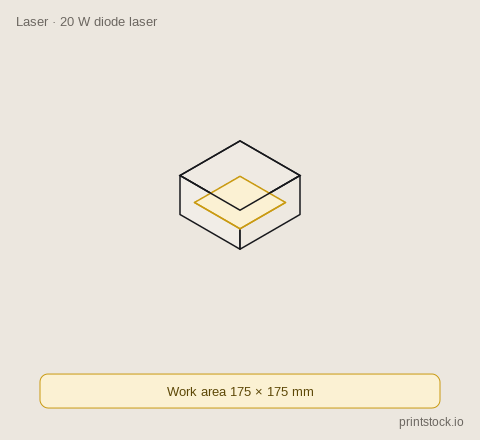
- About 175 × 175 mm
Materials
- Best on
- Wood, leather, paper, dark acrylic, coated items
Safety
- Laser class
- Class 1 enclosure with flame monitoring
Accessories
- Optional
- Conveyor, Rotary Kit Pro, flexible fixture, smoke purifier, knife bed, UV riser
From maker and store specifications, checked Nov 12, 2026. Power, size, network and warranty are in their own blocks below.
Power and setup
Electricity
- Mains input
- 100 to 240 V (universal)
- Rated power
- 360 W
- Note
- 100-240 V AC input; external 24 V adapter rated up to 15 A (360 W), per the machine label.
Network and cloud
- Works without internet
- Yes, fully (SD card / USB / LAN)
- Software from other makers
- Supported
- Built-in camera
- Yes
- Note
- Runs from Creality's Falcon Design Space over USB, 2.4 or 5 GHz Wi-Fi, or offline from a TF card or USB drive; LightBurn (Creality supplies a device file) and LaserGRBL work over USB. Creality suggests USB when Wi-Fi is unstable. Built-in camera, calibrated with the supplied card.
Space and room
- Size (W × D × H)
- 464 × 312 × 509 mm
On a standard power circuit
- US 15 A / 120 V standard circuit: fine, and about 1,050 W stays free for other things on that circuit while it heats up
- EU/UK 16 A / 230 V standard circuit: fine, and about 2,550 W stays free for other things on that circuit while it heats up
Our calculation from the maker's rated power, keeping a circuit at 80% for long loads.
Safety and support
Safety
- Laser class
- Class 1 laser product
- Laser safety features
- Lid or door interlock, Emergency stop button, Flame detection
Warranty and repair
- Warranty
- 12 months; complete machine; wear parts shorter
- Spare parts store
- Official page ↗
- Repair guides
- Official page ↗
Software and firmware
- Slicer / control software
- Creality Falcon Design Space, LightBurn
- Firmware
- Updated through Falcon Design Space
- Connectivity
- Wi-Fi, USB
Official firmware and downloads ↗ We never host firmware files.
Questions people ask
Can I add other laser modules later?
Yes, the Falcon T1 accepts all five modules and Creality says swapping takes about 15 seconds.
How big is the working area?
About 175 × 175 mm, typical for a galvo machine; the conveyor helps with longer items.
What can the 20 W diode module cut?
Thin wood, leather, card and dark acrylic; for thick sheets a gantry diode or CO2 laser is better.
Closest alternatives by price
Compare all side by side