$179 as of Nov 11, 2026Check price
Creality
Creality Falcon A1 Pro
LaserEnclosed
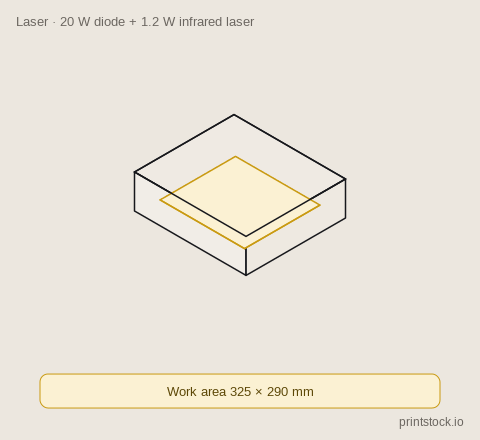
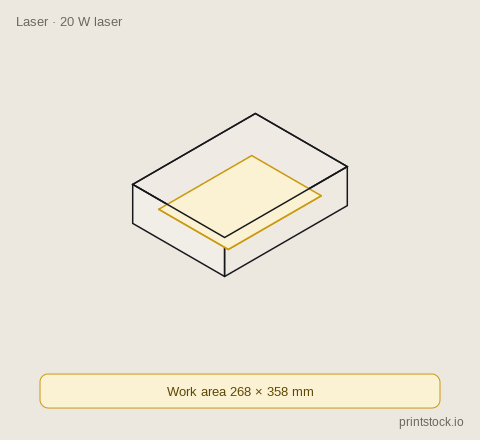
Enclosed desktop diode laser with a 20 W blue laser and an optional swappable 2 W infrared module for metal; 268 × 358 mm area, camera, autofocus, touchscreen and flame detection.
Where to buy
Prices as of Nov 11, 2026Taxes, shipping and any import duties are worked out by the store at checkout and depend on your country; ask the store if in doubt.
Store links may be affiliate links: we may earn a commission, and it does not change your price. Affiliate disclosure
Overview
The Falcon A1 Pro, released in August 2025, is Creality's enclosed desktop diode laser for makers who want to sell what they make. It pairs a 20 W blue diode, which cuts and engraves wood, leather, card and dark acrylic, with an optional 2 W infrared module that swaps in without tools for marking metals and engraving plastics that blue light passes through. That combination is unusual at this price and gives one machine a wider material range than most diode lasers.
It is built to be easy: the machine arrives mostly assembled, an HD camera shows the work area for placement and remote monitoring, autofocus sets the height, and a touchscreen and app mean many jobs run without a computer. Safety features include a Class 1 enclosure, flame detection that stops the job, tilt protection and an emergency stop. Tom's Hardware found the automatic calibration reliable throughout testing, and reviewers cut 9 mm cedar in a single pass.
The IR module is sold separately or in bundles, so check what a package includes. Diode lasers cannot cut clear acrylic, and the enclosure needs venting or a purifier. For more cutting power and a larger bed, Creality's Falcon2 Pro is the step up.
Best for
- Small sellers making wood, leather and acrylic products
- Users who want both organic materials and metal marking
- Beginners who want an enclosed, camera-guided laser
Look elsewhere if
- You need to cut clear acrylic: choose a CO2 laser
- You cut thick material all day: the 60 W Falcon2 Pro is faster
Before you buy
- Check whether your bundle includes the 2 W IR module; often it does not.
- Plan ventilation or a smoke purifier.
- A honeycomb bed keeps the underside of parts clean and is included only in some packs.
- LightBurn works, but Falcon Design Space is free and supports the camera.
Pros and cons
Pros
- Swappable blue and IR lasers
- Enclosed with camera and autofocus
- Strong safety features
- Easy setup
Cons
- IR module costs extra
- Diode cannot cut clear acrylic
- Mid-size working area
What owners like
Up and running fast
Praised by most ownersTom's Hardware praises a fully enclosed 20W laser with software that gets users working in no time.
Solid, well-detailed build
Often praisedReviewers note solid build quality and simple, well-documented assembly in well under an hour.
Collected the same way as known issues: from independent reviews, owner reports and public discussions, merged and grouped.
Known issues
Last reviewed Nov 13, 2026Popular models have longer lists simply because more people own them and talk about them. Severity and status show how much each problem matters today.
Weak fume extraction when cutting
Moderate (affects prints)Workaround availableThe built-in exhaust fan is weak, and Creality's desktop smoke purifier was easily overwhelmed when cutting plywood, leaving smoke in the room. Venting outside or a stronger extractor is advised.
Fragile screen bracket
Minor (annoyance)Still reportedThe touchscreen sits on a metal arm whose bracket could snap if the machine is moved carelessly, and the screen interface feels like an afterthought.
Camera needs calibration and can get smoked over
Minor (annoyance)Workaround availableThe camera needs about ten minutes of calibration before first use, and its cover sits inside the enclosure where smoke may eventually cloud the view.
Material presets overwrite every layer
Minor (annoyance)Workaround availableChoosing a material preset can overwrite the settings of all layers in a job, so multi-operation jobs need checking before you start.
Honeycomb bed and goggles cost extra
Minor (annoyance)Still reportedThe honeycomb platform, which the reviewer considers essential for clean parts, is an extra purchase, and safety goggles are not included.
Bulky desktop footprint
Minor (annoyance)Still reportedThe enclosed machine with its screen arm takes a lot of desk space.
Z axis failures reported
Minor (annoyance)Still reportedA few owners report a broken Z axis on the official forum.
Already fixed: 1 (show)
Autofocus calibration failures
Moderate (affects prints)Fixed in firmwareOwners report autofocus not working; Creality's wiki says to update the mainboard firmware to above 1.0.38 before calibrating autofocus.
How we build this list: we collect independent reviews, owner reports and public discussions on forums and social networks, merge duplicates and group them by cause. Only serious or recurring problems make the list, so a single complaint will not appear here, and a listed problem does not mean every unit is affected.
Specs
Printing
- Type
- Laser
- Max speed
- 600 mm/s
- Laser
- 20 W laser
- Laser type
- Diode
- Laser output
- 20 W
- Cuts through
- WoodPlywoodLeatherPaper and cardboardFabric and feltCorkFoamMDFBambooAcrylicdark or opaqueRubber
- Engraves or marks
- WoodPlywoodMDFBambooLeatherPaper and cardboardFabric and feltCorkRubberAcrylicdark or opaqueStone and slateAnodized aluminiumPainted or coated metalStainless steel
Hardware
- Enclosure
- Yes
Control and sensors
- Screen
- Touchscreen
- Features
- Built-in cameraAutofocus
Laser
- Main module
- 20 W blue diode
- Optional module
- 2 W 1064 nm infrared for metals and plastics, tool-free swap
Working area
- Area
- 268 × 358 mm
Cameras
- Positioning
- HD camera with real-time monitoring
Focus
- Focus
- Automatic focus
Safety
- Safety
- Class 1 enclosure, flame detection with auto stop, tilt protection, emergency stop
Cutting
- Example
- Up to 9 mm cedar in one pass (reviewer test)
From maker and store specifications, checked Nov 12, 2026. Power, size, network and warranty are in their own blocks below.
Power and setup
Electricity
- Mains input
- 100 to 240 V (universal)
- Rated power
- 180 W
- Note
- 100-240 V AC input; external adapter rated 24 V DC up to 7.5 A (180 W).
Network and cloud
- Works without internet
- Yes, fully (SD card / USB / LAN)
- Maker account
- Only for cloud / remote features
- Software from other makers
- Supported
- Built-in camera
- Yes
- Note
- USB or 2.4 GHz Wi-Fi with online, offline and cloud modes; Falcon Design Space and the FalconSpace app (Creality account) or LightBurn and LaserGRBL. LightBurn camera support works over USB in recent releases. Built-in HD camera with a privacy switch.
Space and room
- Size (W × D × H)
- 567 × 468 × 211 mm
- Weight
- 16.8 kg
On a standard power circuit
- US 15 A / 120 V standard circuit: fine, and about 1,250 W stays free for other things on that circuit while it heats up
- EU/UK 16 A / 230 V standard circuit: fine, and about 2,750 W stays free for other things on that circuit while it heats up
Our calculation from the maker's rated power, keeping a circuit at 80% for long loads.
Safety and support
Safety
- Laser class
- Class 1 laser product
- Laser safety features
- Lid or door interlock, Emergency stop button, Flame detection, Tilt or movement stop
Warranty and repair
- Warranty
- 12 months; complete machine; wear parts shorter
- Spare parts store
- Official page ↗
- Repair guides
- Official page ↗
Software and firmware
- Slicer / control software
- Creality Falcon Design Space, LightBurn, LaserGRBL
- Firmware
- Updated through Falcon Design Space
- Connectivity
- Wi-Fi, USB, app control
Official firmware and downloads ↗ We never host firmware files.
Questions people ask
What is the 2 W IR module for?
Marking metals and some plastics that the blue diode cannot mark well.
How thick can it cut?
Reviewers cut 9 mm cedar in one pass with the 20 W blue laser; dense woods need more passes.
What is the difference between the Falcon A1 and A1 Pro?
The A1 has a 10 W diode; the A1 Pro has 20 W plus the optional IR module.
Compatible accessories
Everything that fits the Creality Falcon A1 ProClosest alternatives by price
Compare all side by side