$59.99 as of Nov 11, 2026Check price
Bambu Lab
Bambu Lab H3C
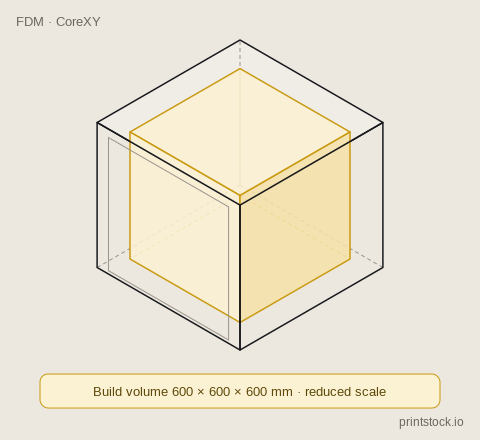
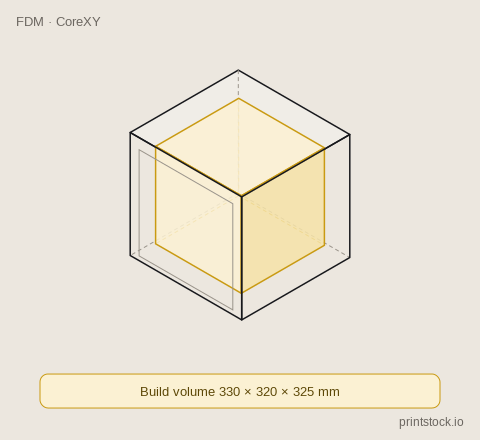
FDMCoreXYEnclosed330 × 320 × 325 mm
Bambu Lab's first true tool changer: nine docked PrintTools (eight 1.75 mm plus one 2.85 mm TPU tool), about 6 second swaps, 350 °C nozzles, 65 °C heated chamber, 330 × 320 × 325 mm on every tool; ships with the AMS 3H.
- Highest rated speed of the 57 FDM printers we list
- Most nozzles of the 75 FDM printers we list
Where to buy
Prices as of Nov 12, 2026Taxes, shipping and any import duties are worked out by the store at checkout and depend on your country; ask the store if in doubt.
Store links may be affiliate links: we may earn a commission, and it does not change your price. Affiliate disclosure
Price history, 90 days
Lowest: $2,499 · Highest: $2,799Overview
The H3C, announced on November 3, 2026, is the printer Bambu Lab fans had waited years for: a real tool changer. Instead of the H2C's nozzle swapping, nine complete PrintTools, each with its own heater, cutter and filament path, wait preheated in a rack and dock onto the toolhead. Reviewers measured a material change at roughly six to seven seconds, against about 40 seconds on the H2C, and with each filament staying in its own tool there is almost no purge waste.
Eight tools take 1.75 mm filament; the ninth is a 2.85 mm tool meant for very soft TPU. Every tool reaches the full 330 × 320 × 325 mm volume, nozzles run to 350 °C and the chamber heats to 65 °C, so engineering materials like PA, PC and carbon filled blends sit alongside PLA, PETG and support materials such as PVA. FauxHammer called it the best FDM printer he had used, and All3DP described it as Bambu's most complete release.
The main complaint is the bundled AMS 3H: it actively dries only two of the nine spools, and the full-chamber drying of earlier AMS units is gone. The whole system is tall and heavy, the rear spools are hard to reach on a normal bench, there is no Ethernet port, and the first reviews noted a few early-unit niggles. For mostly single-color printing it is far more machine than you need.
Best for
- Serious multi-material printing: rigid plus flexible, soluble supports
- Multi-color prints with almost no purge waste
- Workshops printing engineering materials
Look elsewhere if
- You print mostly in one color
- Your bench has under 1.3 m of headroom
- Budget is under $1,500: look at the H2S or P2S
Before you buy
- Measure height: printer plus AMS 3H needs about 1.3 m.
- Plan extra drying: the AMS 3H dries only two spools.
- Parked tools stay hot; keep hands clear.
- Hard-wire alternatives: there is no Ethernet port.
Pros and cons
Pros
- About 6 second tool changes
- Nine tools, minimal waste
- 350 °C and heated chamber
- Full volume on every tool
Cons
- Only two drying slots
- Very tall and heavy
- No Ethernet
- Expensive
Known issues
Last reviewed Nov 13, 2026Popular models have longer lists simply because more people own them and talk about them. Severity and status show how much each problem matters today.
AMS 3H dries only two spools
Moderate (affects prints)Workaround availableOnly two of nine spool positions are actively heated; the rest rely on desiccant bags, so spools stored for weeks can pick up moisture.
Eddy current sensor fault on an early unit
Minor (annoyance)Workaround availableA reviewer's sensor failed after a few prints because of bridged wires; separating them fixed it. It may be limited to early units.
Z axis knocking
Minor (annoyance)Workaround availableAn owner reports the same Z knocking noise known from the H2 series; switching Z hop to Normal stops it.
How we build this list: we collect independent reviews, owner reports and public discussions on forums and social networks, merge duplicates and group them by cause. Only serious or recurring problems make the list, so a single complaint will not appear here, and a listed problem does not mean every unit is affected.
Specs
Printing
- Type
- FDM
- Build volume
- 330 × 320 × 325 mm
- Kinematics
- CoreXY
- Max speed
- 1,400 mm/s
- Multi-color
- Yes
- Nozzles / toolheads
- 9
- Materials
- PLA, PETG, TPU, ABS, ASA, PA, PC, PET, PPA, PPS, PVA, PLA-CF, PETG-CF, PA-CF
Extruder and bed
- Extruder
- Direct drive
- Stock nozzle
- 0.4 mm
- Nozzle / hotend
- SwapTek tool changer: 8 tools for 1.75 mm and 1 for 2.85 mm TPU, hardened steel nozzles
- Max nozzle temp
- 350 °C
- Filament
- 1.75 mm
- Max bed temp
- 120 °C
- Enclosure
- Yes
- Heated chamber
- Up to 65 °C
Files and setup
- Variants
- H3C Combo, H3C Combo + Filament Starter Pack, H3C Full Combo
Toolheads
- Tool system
- Swaptek tool changer, nine docked PrintTools
- Tool change
- About 6 to 7 seconds in reviews
- Ninth tool
- 2.85 mm tool for soft TPU
Filament
- AMS 3H
- Holds the spools; actively dries two at a time up to 85 °C
Physical
- System weight
- About 36 kg with AMS 3H
- Clearance
- Bambu recommends about 1.3 m of height
Connectivity
- Network
- Wi-Fi; no Ethernet
From maker and store specifications, checked Nov 12, 2026. Power, size, network and warranty are in their own blocks below.
Power and setup
Electricity
- Rated power
- 2,250 W at 220 to 240 V, 1,850 W at 110 to 120 V
- Average while printing
- 240 W
- Note
- Max 2250 W at 220 V, 1850 W at 110 V; typical about 240 W printing PLA and 540 W printing PC. Weight includes the AMS 3H; dimensions exclude it.
Network and cloud
- Maker account
- Only for cloud / remote features
- Local control for other software
- Limited or behind a special mode
- Note
- Ships with Bambu's authorization control: full control from third-party software needs LAN-only mode with Developer Mode, which turns off the Handy app and cloud.
Space and room
- Size (W × D × H)
- 493 × 571 × 587 mm
- Weight
- 36.28 kg
On a standard power circuit
- US 15 A / 120 V standard circuit: too much while heating; give it its own 20 A circuit
- EU/UK 16 A / 230 V standard circuit: fine, and about 650 W stays free for other things on that circuit while it heats up
- A 10-hour run (for example, several figures printed one after another): about 2.4 kWh. Multiply by your price per kWh for the cost.
Our calculation from the maker's rated power and average power while printing, keeping a circuit at 80% for long loads.
Safety and support
Warranty and repair
- Warranty
- 24 months; for consumers in the EU, Switzerland, Norway, Iceland, the US and Canada (US and Canada extended from 12 months in 2026); receipts only from Bambu Lab or authorized resellers
- Repair guides
- Official page ↗
- Open source
- No
Running costs
| PLA filament, per kg | Cheapest in our catalog: Elegoo PLA Basic | $9.34 |
|---|---|---|
| Spare nozzle or hotend | Bambu Hotend - Bambu Lab H3C | $29.99 |
| Spare build plate | Bambu Textured PEI Plate | $15.99 |
Starter budget: about $2,538 for the printer at its best listed price, 1 kg of PLA and a spare nozzle.
Cheapest compatible items in our catalog, USD prices as last checked. Prices change; see each item for the date.
Software and firmware
- Slicer / control software
- Bambu Studio, OrcaSlicer
- Firmware
- Bambu Lab firmware via Bambu Studio and Bambu Handy
- Connectivity
- Wi-Fi, USB drive, Bambu Cloud or LAN mode
Official firmware and downloads ↗ We never host firmware files.
Questions people ask
How fast are tool changes?
Reviewers measured about six to seven seconds per change.
Can every tool print the full build volume?
Yes, all nine tools reach 330 × 320 × 325 mm.
What is the ninth tool for?
It takes 2.85 mm filament, mainly for very soft TPU.
Models proven to print on the Bambu Lab H3C
Coming soonFilaments that fit (97)
Matched by PrintStock from published specs: filament diameter, the materials Bambu Lab lists for this printer. Not a print test.
- PETG
- Anycubic PETG, Bambu Lab PETG Basic, Bambu Lab PETG Matte, Creality Hyper PETG, Elegoo PETG Pro, Elegoo Rapid PETG, eSUN PETG, eSUN PETG-Matte, Overture High Speed PETG, Polymaker PETG, Polymaker PolyLite PETG, Prusament PETG, Spectrum PETG, Spectrum PETG Premium High Speed, SUNLU PETG, SUNLU PETG 2.0
- PLA
- Anycubic PLA+, Anycubic PLA Basic, Anycubic PLA High Speed, Anycubic PLA Silk, Bambu Lab PLA Basic, Bambu Lab PLA Matte, Bambu Lab PLA Silk+, Bambu Lab PLA Translucent, Creality Hyper PLA, Creality Hyper PLA RFID, Elegoo PLA, Elegoo PLA Basic, Elegoo PLA Matte, Elegoo PLA Pro, Elegoo PLA Silk, eSUN PLA+, eSUN PLA Basic, eSUN PLA+HS, eSUN PLA-Matte, eSUN PLA-Silk Rainbow, Overture Easy PLA, Overture Matte PLA Dual Colors, Overture PLA+, Overture Silk PLA Gradient, Polymaker Panchroma PLA, Polymaker Panchroma PLA Matte, Polymaker Panchroma PLA Silk, Polymaker PLA Pro, Polymaker PolyLite PLA, Polymaker PolyLite PLA Pro, Polymaker PolyLite Silk PLA, Polymaker PolyMax PLA, Polymaker PolyTerra PLA, Prusament PLA, Spectrum Huracan PLA, Spectrum PLA, Spectrum PLA Pro, Spectrum Premium PLA High Speed, SUNLU High-Speed PLA, SUNLU PLA+ 2.0, SUNLU Silk PLA+ 2.0
- ABS
- Bambu Lab ABS, Creality Hyper ABS, Elegoo ABS, Polymaker PolyLite ABS, Siraya Tech Fibreheart ABS HT HF, SUNLU ABS
- PA-CF
- Bambu Lab PA6-CF, Bambu Lab PAHT-CF, eSUN PA-CF, Polymaker Fiberon PA6-CF20, Prusament PA11 Carbon Fiber, SUNLU PA12-CF, SUNLU PA6-CF
Compatible accessories
Everything that fits the Bambu Lab H3C
$29.99 as of Nov 11, 2026Check price
$53.99 as of Nov 11, 2026Check price
$23.99 as of Nov 11, 2026Check price
$24.49 as of Nov 11, 2026Check price
$15.99 as of Nov 11, 2026Check price
Closest alternatives by price
Compare all side by side