$119 as of Nov 12, 2026Check price
AtomStack
AtomStack X12 Pro
Laser
AtomStack's pre-calibrated open-frame engraver: 10 to 12 W optical from two 6 W diodes, 365 × 305 mm, up to 600 mm/s, 0.06 mm fixed-focus spot, UV filter glass, tilt alarm; sold out when checked.
- Highest rated speed of the 13 Laser engravers under $300 we list
Where to buy
Prices as of Nov 12, 2026Taxes, shipping and any import duties are worked out by the store at checkout and depend on your country; ask the store if in doubt.
Store links may be affiliate links: we may earn a commission, and it does not change your price. Affiliate disclosure
Overview
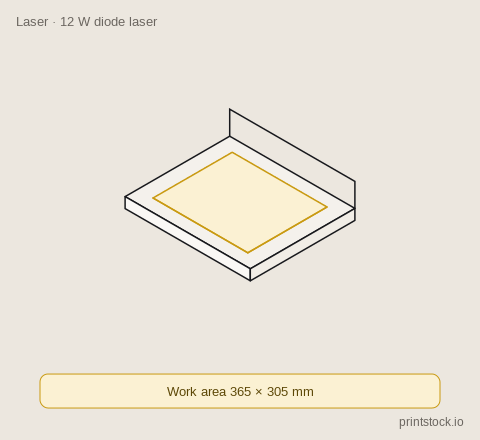
The X12 Pro is an open-frame AtomStack engraver that combines two 6 W diodes for 10 to 12 W of optical output. It ships pre-calibrated in a one-piece anodized aluminum frame with a linear guide on X, covers 365 × 305 mm and moves at up to 600 mm/s with a fine 0.06 mm fixed-focus spot.
A panoramic filter glass around the head, which AtomStack says blocks 97 percent of UV, a tilt alarm above 15 degrees, an emergency stop and cross-laser positioning add safety and convenience. It works with LightBurn and LaserGRBL and with AtomStack's mobile app over Wi-Fi.
It was sold out when we checked, and newer AtomStack models such as the Swift 12 W cover the same ground. Glasses and ventilation are still required.
Best for
- Budget engraving
- Light cutting
- AtomStack accessory owners
Look elsewhere if
- Thick cutting
- Indoor without ventilation
Before you buy
- Wear laser safety glasses rated for the wavelength unless the machine is a certified Class 1 enclosure.
- Plan ventilation or a fume purifier; never cut PVC or vinyl.
- Compare with the Swift 12 W at a similar price.
- Add air assist for cutting.
Pros and cons
Pros
- Cheap
- Accessory ecosystem
- Replaceable lens
Cons
- Older design
- Open frame
- Moderate power
Known issues
Last reviewed Nov 13, 2026We have not found serious or recurring problems with this model so far.
How we build this list: we collect independent reviews, owner reports and public discussions on forums and social networks, merge duplicates and group them by cause. Only serious or recurring problems make the list, so a single complaint will not appear here, and a listed problem does not mean every unit is affected.
Specs
Printing
- Type
- Laser
- Max speed
- 600 mm/s
- Laser
- 12 W diode laser
- Laser type
- Diode
- Laser output
- 12 W
- Cuts through
- WoodPlywoodLeatherPaper and cardboardFabric and feltCorkFoamMDFBambooAcrylicdark or opaqueRubber
- Engraves or marks
- WoodPlywoodMDFBambooLeatherPaper and cardboardFabric and feltCorkRubberAcrylicdark or opaqueStone and slateAnodized aluminiumPainted or coated metal
Hardware
- Enclosure
- No
Laser
- Spot
- 0.06 × 0.06 mm, fixed focus
Area
- Work area
- 365 × 305 mm
Frame
- Frame
- One-piece anodized aluminum, X linear guide
Safety
- Safety
- Filter glass, tilt alarm, emergency stop
Software
- Software
- LightBurn, LaserGRBL
From maker and store specifications, checked Nov 12, 2026. Power, size, network and warranty are in their own blocks below.
Power and setup
Electricity
- Rated power
- 50 W
- Note
- Overall machine power
Network and cloud
- Works without internet
- Yes, fully (SD card / USB / LAN)
- Software from other makers
- Supported
- Note
- Runs from LightBurn, LaserGRBL or the AtomStack app; the X12/X24 Pro display screen also runs jobs offline.
On a standard power circuit
- US 15 A / 120 V standard circuit: fine, and about 1,350 W stays free for other things on that circuit while it heats up
- EU/UK 16 A / 230 V standard circuit: fine, and about 2,850 W stays free for other things on that circuit while it heats up
Our calculation from the maker's rated power, keeping a circuit at 80% for long loads.
Safety and support
Safety
- Laser class
- Class 4 laser product
- Laser safety features
- Tilt or movement stop, Emergency stop button
Warranty and repair
- Warranty
- 12 months; 12 months on main parts of machines bought through AtomStack authorised channels; optional accessories also 12 months
Software and firmware
- Slicer / control software
- LightBurn, LaserGRBL, AtomStack Studio, AtomStack app
- Firmware
- AtomStack firmware
- Connectivity
- Wi-Fi, USB, app
Official firmware and downloads ↗ We never host firmware files.
Questions people ask
How much power does the X12 Pro have?
10 to 12 W optical from two 6 W diodes.
What is the work area?
365 × 305 mm.
Is it in stock?
It was sold out when we checked.
Compatible accessories
Everything that fits the AtomStack X12 Pro
$100 as of Nov 12, 2026Check price
$119 as of Nov 12, 2026Check price
$99 as of Nov 12, 2026Check price
$299 as of Nov 12, 2026Check price
$199 as of Nov 12, 2026Check price
Closest alternatives by price
Compare all side by side