Asiga MAX 2
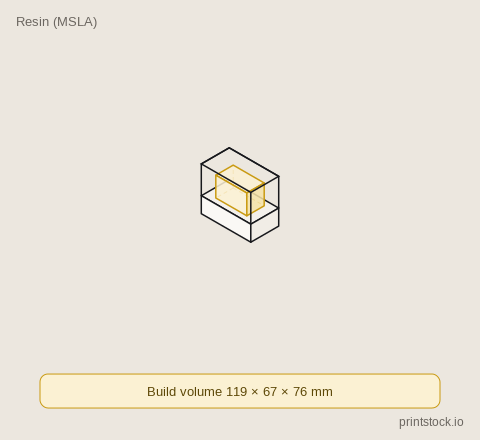
Compact DLP printer for dental and jewellery: 119 × 67 × 76 mm at 62 µm (or 96 × 54 × 76 mm at 50 µm), 385 nm auto-calibrating LED, open materials.
How to buy
Asiga sells this machine through quotes and resellers; the price depends on configuration, software and service.
Taxes, delivery, installation and any import duties are set by the seller when you order; agree them with the maker or its reseller.
Overview
The MAX 2 is Asiga's compact DLP printer and a long-standing reference in dental and jewellery labs. It comes in two resolutions: 62 µm pixels over 119 × 67 mm, or 50 µm over a smaller 96 × 54 mm, both 76 mm tall. The 385 nm LED calibrates its own power, and Asiga's layer-monitoring technology checks each layer as it forms.
Its biggest draw is material freedom. Asiga runs an open system with hundreds of validated resins from many brands, so a lab is not tied to one supplier for crowns, models, castable jewellery or hearing-aid shells. Asiga Composer, its nesting and support software, is free and runs on Windows, macOS and Linux.
The build is small; for batch model production the Ultra or PRO 4K fit far more per print. US dealers list it at about $10,000 with a curing chamber and starter kit.
Best for
- Crowns, bridges, surgical guides and small dental parts
- Castable jewellery patterns
- Labs that want open resins from several brands
Look elsewhere if
- You print many full-arch models at once: the build is small
- You want the lowest entry price
Before you buy
- Choose the 50 or 62 µm version by part size.
- Confirm your resins are on Asiga's validated list.
- Budget the Cure or Flash post-curing unit.
Pros and cons
Pros
- Open materials
- Proven precision
- Free cross-platform software
Cons
- Small build
- Older 1080p-class optics
- Dealer pricing
Known issues
Last reviewed Nov 15, 2026We have not found serious or recurring problems with this model so far.
How we build this list: we collect independent reviews, owner reports and public discussions on forums and social networks, merge duplicates and group them by cause. Only serious or recurring problems make the list, so a single complaint will not appear here, and a listed problem does not mean every unit is affected.
Specs
Printing
- Type
- Resin
- Process
- DLP (projector resin)
- Made for
- Professional
- Build volume
- 119 × 67 × 76 mm
- Resolution
- 62 µm pixel
- Materials
- Resin
Hardware
- Build plate
- Anodised steel build platform
- Enclosure
- Yes
Control and sensors
- Screen
- Touchscreen
Files and setup
- Variants
- MAX 2 (50), MAX 2 (62)
Optics
- Technology
- DLP
- LED
- Auto-calibrating 385 nm (405 nm on request)
Materials
- Material system
- Open material system: Asiga lists 500+ validated resins from leading brands.
Software
- Software
- Asiga Composer, free, Windows, macOS and Linux
- File inputs
- STL, SLC, PLY, STM
Machine
- Power
- 100 to 240 V AC, under 2 A
Bundle
- Included
- Flash curing chamber, calibration toolkit, build tray, model resin
From maker and store specifications, checked Nov 15, 2026. Power, size, network and warranty are in their own blocks below.
Power and setup
Electricity
- Mains input
- 100 to 240 V (universal)
- Note
- Under 2 A
Network and cloud
- Local control for other software
- Limited or behind a special mode
- Note
- Asiga Composer sends jobs on the local network, and each printer serves a web page for the print queue, firmware updates and logs.
For business buyers
Software and firmware
- Slicer / control software
- Asiga Composer
- Connectivity
- Wi-Fi, Ethernet
Questions people ask
What resins can the Asiga MAX 2 use?
Asiga runs an open system with hundreds of validated resins from many brands.
What sizes are available?
MAX 2 (62): 119 × 67 × 76 mm at 62 µm; MAX 2 (50): 96 × 54 × 76 mm at 50 µm.
What wavelength does it use?
385 nm, with 405 nm available on request.