$15.99 as of Nov 11, 2026Check price
Anycubic
Anycubic Kobra S1 (ACE 2 Pro)
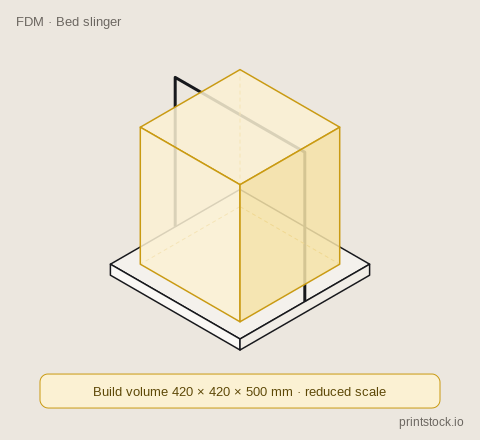
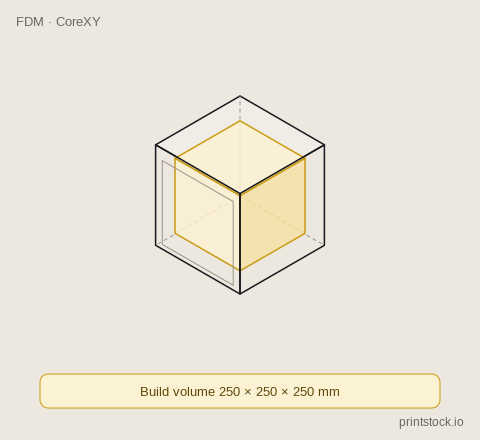
FDMCoreXYEnclosed250 × 250 × 250 mm
Anycubic's enclosed CoreXY printer bundled with the ACE 2 Pro, a four-spool feeder that also dries filament: 250 mm cube build volume, 320 °C hotend, 120 °C bed and up to 16 colors with extra units.
- Most nozzles of the 38 FDM printers under $500 we list
Where to buy
Prices as of Nov 11, 2026Taxes, shipping and any import duties are worked out by the store at checkout and depend on your country; ask the store if in doubt.
Store links may be affiliate links: we may earn a commission, and it does not change your price. Affiliate disclosure
Overview
The Kobra S1 is Anycubic's enclosed CoreXY printer, aimed squarely at the Bambu P1S: a 250 mm cube build volume, up to 600 mm/s, a 320 °C hotend and a 120 °C bed. This version comes with the ACE 2 Pro, Anycubic's second-generation four-spool feeder. Like the first ACE Pro it dries filament while you print, which Bambu only offers on the AMS 2 Pro.
The printer itself gets good reviews for out-of-the-box print quality and quiet operation (44 dB in quiet mode). Most complaints are about the feeder: jams, retraction problems with some spools and multi-color stringing, which are covered under Known issues. Owners can stack up to four ACE 2 Pro units for 16 colors.
It runs Anycubic's Kobra OS and slices in Anycubic Slicer Next, an OrcaSlicer derivative; a popular community firmware, Rinkhals, adds features and better OrcaSlicer integration. At our last check Anycubic's US store listed the Kobra S1 ACE 2 Pro Combo at $499.
Best for
- Enclosed multi-color printing with built-in filament drying at a low price
- PLA, PETG, ABS and ASA in one machine
- Quiet operation in a shared room
Look elsewhere if
- You want the most reliable multi-color experience: owners report more feeder issues than with Bambu's AMS
- You need a heated chamber or a 350 °C nozzle for nylon and PC
- You need more than a 250 mm cube: look at the Kobra S1 Max
Before you buy
- Original ACE Pro units for the Kobra 3 need an upgrade kit to work with the Kobra S1; check compatibility before reusing one.
- Cardboard spools can slip in the feeder; owners print spool adapters or respool.
- TPU should be fed directly, not through the ACE 2 Pro.
- Many owners install the Rinkhals community firmware for better OrcaSlicer support; that is unofficial.
Pros and cons
Pros
- Enclosed CoreXY with 120 °C bed at a low price
- Feeder dries filament while printing
- Quiet, good out-of-the-box print quality
- Expandable to 16 colors
Cons
- Feeder jams and retraction issues are common complaints
- 320 °C hotend limits some engineering filaments
- Low-resolution camera
Maker's test data
- Noise
- As low as 46 dB in Standard mode and 44 dB in Quiet mode, per Anycubic.
- Print time
- A 3D Benchy in about 15 minutes, per Anycubic.
Published by the manufacturer from its own tests. PrintStock has not verified these figures; owner reports below may confirm or contradict them.
What owners like
Excellent value for multicolor
Praised by most ownersReviewers call it next-generation multi-filament printing at an outstanding price and the most complete multicolor option under 500 dollars.
Good PETG and ABS out of the box
Often praisedOne reviewer found PETG and ABS prints as clean as PLA, with minimal assembly.
Smooth, beginner-friendly process
Often praisedNotebookcheck calls it a beginner-friendly printer focused on a smooth process, with setup in about 15 minutes.
Collected the same way as known issues: from independent reviews, owner reports and public discussions, merged and grouped.
Known issues
Last reviewed Nov 13, 2026Popular models have longer lists simply because more people own them and talk about them. Severity and status show how much each problem matters today.
ACE Pro filament jams (11518, 11511, 11519)
Major (repair or return)Workaround availablePrints pause on feed or clog errors when loading is wrong, filament is wet or brittle, or the spool is tangled. Restart the unit, clear the path and dry the filament.
Heavy purge waste and slow color changes
Moderate (affects prints)Workaround availableEach color change purges a lot of plastic and takes about two minutes; a 10.9 g test model produced 183 g of waste. Firmware 2.6.9.2 reduced it somewhat.
LeviQ 3.0 leveling failures (10237, 11534)
Moderate (affects prints)Workaround availableCalibration fails with a blob on the nozzle, an oily bed or a cold bed. Clean both and level again; replace the strain gauge if it keeps happening.
Early-batch quality faults
Moderate (affects prints)Still reportedSome units arrived dented, with frayed wires or a loose print head cover or connectors. Contact support under warranty.
Camera and app drop out
Minor (annoyance)Workaround availableThe webcam and app time out, usually on weak or crowded Wi-Fi. Use 2.4 GHz and restart.
False AI alarms (11801, 11802)
Minor (annoyance)Workaround availableThe camera flags spaghetti or foreign objects that are not there, often with dark, clear or glossy filament.
Spool squeak and feed noise
Minor (annoyance)Workaround availableSkewed spools, dry spool axles and sharp tube bends cause squeaks and feed noise from the ACE Pro.
Already fixed: 1 (show)
Hotend clogs, especially with PETG
Moderate (affects prints)Fixed in firmwareBrittle PETG snapped during retraction and jammed the nozzle, and early firmware made it worse. Fixed in firmware 2.6.8.8, but clearing a clog is still manual work.
How we build this list: we collect independent reviews, owner reports and public discussions on forums and social networks, merge duplicates and group them by cause. Only serious or recurring problems make the list, so a single complaint will not appear here, and a listed problem does not mean every unit is affected.
Specs
Printing
- Type
- FDM
- Build volume
- 250 × 250 × 250 mm
- Kinematics
- CoreXY
- Max speed
- 600 mm/s
- Max acceleration
- 20,000 mm/s²
- Multi-color
- Yes
- Nozzles / toolheads
- 1
- Materials
- PLA, PETG, TPU, ABS, ASA
- Materials
- PLA, PETG, ABS, ASA, TPU (TPU not through the feeder)
Extruder and bed
- Extruder
- Direct drive
- Stock nozzle
- 0.4 mm
- Max nozzle temp
- 320 °C
- Filament
- 1.75 mm
- Build plate
- PEI spring steel plate
- Max bed temp
- 120 °C
- Bed leveling
- Automatic
- Enclosure
- Yes
Control and sensors
- Screen
- Touchscreen, 4.3 in
- Features
- Input shapingFlow calibrationAI print failure detectionPower-loss recoverySilent mode
Files and setup
- Files the slicer opens
- STL, OBJ, 3MF
Bed
- Max bed temperature
- 120 °C, spring steel PEI plate
Multi-color
- Feeder
- ACE 2 Pro: four spools, active drying while printing; up to 16 colors with four units
Features
- Calibration
- Automatic leveling, pressure advance and flow calibration
- Camera
- HD camera, 480p
Physical
- ACE 2 Pro size
- 368 × 291.5 × 236 mm
Connectivity
- Interfaces
- Wi-Fi, USB
From maker and store specifications, checked Nov 12, 2026. Power, size, network and warranty are in their own blocks below.
Power and setup
Electricity
- Rated power
- 1,500 W at 220 to 240 V, 500 W at 110 to 120 V
Network and cloud
- Works without internet
- Yes, fully (SD card / USB / LAN)
- Maker account
- Only for cloud / remote features
- Local control for other software
- Limited or behind a special mode
- Slicers from other makers
- Supported
- Note
- LAN mode sends prints from Anycubic Slicer Next, shows progress and video without an account; in LAN mode the cloud, the app and AI detection are off.
Space and room
- Size (W × D × H)
- 400 × 410 × 490 mm
- Weight
- 18 kg
On a standard power circuit
- US 15 A / 120 V standard circuit: fine, and about 900 W stays free for other things on that circuit while it heats up
- EU/UK 16 A / 230 V standard circuit: fine, and about 1,400 W stays free for other things on that circuit while it heats up
Our calculation from the maker's rated power, keeping a circuit at 80% for long loads.
Safety and support
Safety
- Noise (maker figure)
- 46 dB, standard mode; under 44 dB in quiet mode (maker)
Warranty and repair
- Warranty
- 12 months; 12 months on main parts; print head, extruder, belts, motors, camera and screens 3 months; nozzles, PTFE and FEP not covered
- Spare parts store
- Official page ↗
- Repair guides
- Official page ↗
Running costs
| PLA filament, per kg | Cheapest in our catalog: Elegoo PLA Basic | $9.34 |
|---|---|---|
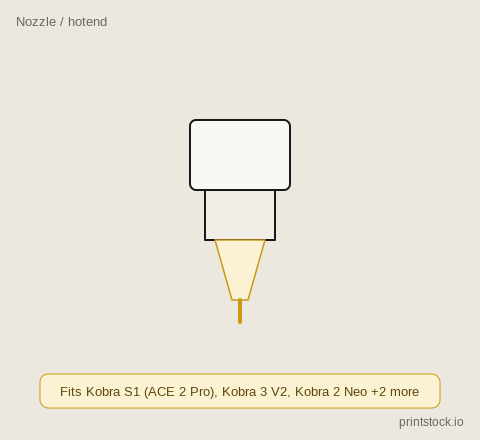
| Spare nozzle or hotend | Hotend | $15.99 |
| Spare build plate | Spring Steel Magnetic Platform | $32.99 |
Starter budget: about $426 for the printer at its best listed price, 1 kg of PLA and a spare nozzle.
Cheapest compatible items in our catalog, USD prices as last checked. Prices change; see each item for the date.
Software and firmware
- Slicer / control software
- Anycubic Slicer Next (official, OrcaSlicer-based); OrcaSlicer with the Rinkhals community firmware
- Firmware
- Kobra OS (Anycubic); Rinkhals community firmware available
- Connectivity
- Wi-Fi, USB, Anycubic app and Makeronline
Official firmware and downloads ↗ We never host firmware files.
Questions people ask
How much is the Anycubic Kobra S1 with ACE 2 Pro?
At our last check Anycubic's US store listed the Kobra S1 ACE 2 Pro Combo at $499. Prices vary by region and sale.
Anycubic Kobra S1 or Bambu Lab P1S?
Both are enclosed CoreXY with similar build volumes. The Kobra S1 bed goes to 120 °C and its feeder dries filament; the P1S has a more reliable multi-color system and larger ecosystem, according to many owner comparisons. The S1 Combo usually costs less.
Does the ACE 2 Pro dry filament?
Yes. It actively dries the loaded spools while printing, which helps with PETG and other moisture-sensitive filaments.
Can the Kobra S1 print ABS?
Yes. It is enclosed, the bed reaches 120 °C and the hotend 320 °C. Anycubic lists PLA, ABS, ASA, PETG and TPU.
Models proven to print on the Anycubic Kobra S1 (ACE 2 Pro)
Coming soonFilaments that fit (72)
Matched by PrintStock from published specs: filament diameter, the materials Anycubic lists for this printer. Not a print test.
- PETG
- Anycubic PETG, Bambu Lab PETG Basic, Bambu Lab PETG Matte, Creality Hyper PETG, Elegoo PETG Pro, Elegoo Rapid PETG, eSUN PETG, eSUN PETG-Matte, Overture High Speed PETG, Polymaker PETG, Polymaker PolyLite PETG, Prusament PETG, Spectrum PETG, Spectrum PETG Premium High Speed, SUNLU PETG, SUNLU PETG 2.0
- PLA
- Anycubic PLA+, Anycubic PLA Basic, Anycubic PLA High Speed, Anycubic PLA Silk, Bambu Lab PLA Basic, Bambu Lab PLA Matte, Bambu Lab PLA Silk+, Bambu Lab PLA Translucent, Creality Hyper PLA, Creality Hyper PLA RFID, Elegoo PLA, Elegoo PLA Basic, Elegoo PLA Matte, Elegoo PLA Pro, Elegoo PLA Silk, eSUN PLA+, eSUN PLA Basic, eSUN PLA+HS, eSUN PLA-Matte, eSUN PLA-Silk Rainbow, Overture Easy PLA, Overture Matte PLA Dual Colors, Overture PLA+, Overture Silk PLA Gradient, Polymaker Panchroma PLA, Polymaker Panchroma PLA Matte, Polymaker Panchroma PLA Silk, Polymaker PLA Pro, Polymaker PolyLite PLA, Polymaker PolyLite PLA Pro, Polymaker PolyLite Silk PLA, Polymaker PolyMax PLA, Polymaker PolyTerra PLA, Prusament PLA, Spectrum Huracan PLA, Spectrum PLA, Spectrum PLA Pro, Spectrum Premium PLA High Speed, SUNLU High-Speed PLA, SUNLU PLA+ 2.0, SUNLU Silk PLA+ 2.0
- ABS
- Bambu Lab ABS, Creality Hyper ABS, Elegoo ABS, Polymaker PolyLite ABS, Siraya Tech Fibreheart ABS HT HF, SUNLU ABS
Compatible accessories
Everything that fits the Anycubic Kobra S1 (ACE 2 Pro)
$34.99 as of Nov 11, 2026Check price
$34.99 as of Nov 11, 2026Check price
$34.99 as of Nov 11, 2026Check price
$32.99 as of Nov 11, 2026Check price
$12.99 as of Nov 11, 2026Check price
Closest alternatives by price
Compare all side by side